
Restaurant Website Builder

Build a Restaurant Website That Works With Your POS

Create a branded restaurant website with your menu, online ordering, reservations, and other guest-facing tools connected to the Shift4 Dine ecosystem.
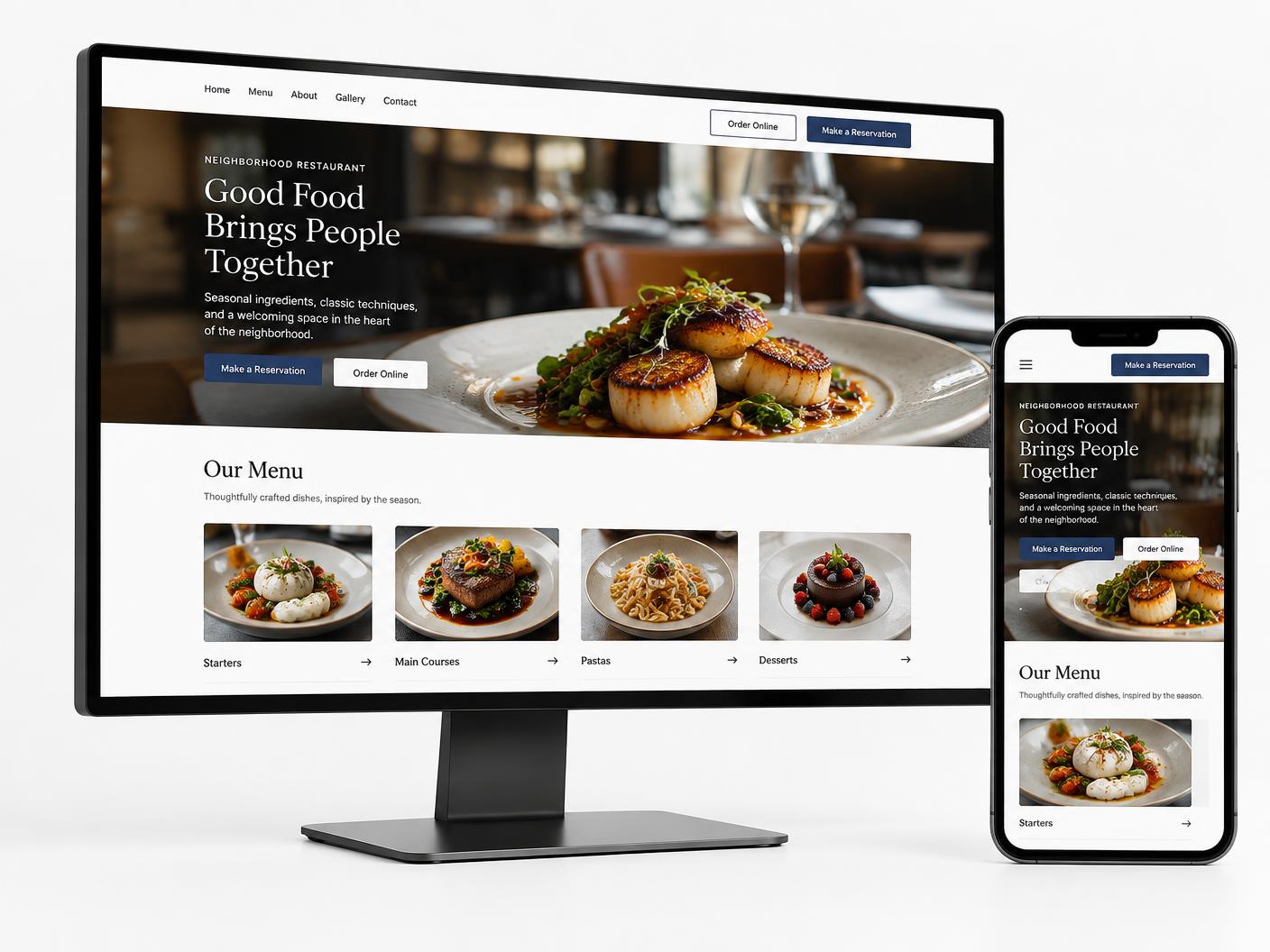
Restaurant website displayed on desktop and mobile screens with menu, online ordering, and reservation actions
Your Digital Storefront

Your Restaurant’s Digital Front Door

Restaurant Website Builder, formerly known as SkyTab Website Builder, brings the guest-facing parts of your restaurant into one branded online experience.

  • Present your menu, hours, location, and restaurant story
  • Guide guests toward ordering and reservations
  • Connect supported guest tools with Shift4 Dine
  • Create a consistent experience across desktop and mobile

Let’s Build a Better Restaurant Website

Tell us about your restaurant, brand, and digital ordering needs.

A Shift4 Dine Partners specialist will follow up about your website needs.

Help Guests Find What They Need

A restaurant website is often the first place guests view the menu, check hours and location, decide to order, reserve a table, buy a gift card, or learn about the brand. Website Builder organizes those paths in one clear restaurant-focused experience.

More Than a Generic Website

Instead of treating the website as a separate brochure, Shift4 Dine Partners can configure it as a digital storefront connected with the restaurant tools your operation uses.

Build Your Website in 3 Steps

Move from restaurant brief to launch through a clear setup process, without unsupported turnaround promises.

Tell Us About Your Restaurant

Share your cuisine, service style, branding, menu, hours, location, and required guest features.

Customize Your Website

Configure the logo, colors, imagery, page structure, menu presentation, and calls to action.

Connect & Launch

Prepare the domain and connect supported ordering, reservation, and guest tools used by your restaurant.

Why a Connected Restaurant Website Matters

Keep Your Brand Consistent

Use your logo, colors, restaurant photography, and visual identity across the guest experience.

Turn Website Visits Into Action

Place ordering, reservations, gift cards, and contact actions close to menu and location content.

Reduce Disconnected Updates

A connected website workflow can reduce the number of separate digital systems your team maintains.

Own Your Guest Experience

Give guests a direct path through your restaurant’s branded website rather than an unrelated generic page.

Everything Your Restaurant Website Needs

Branded Website Design

Build around your restaurant identity with configurable colors, imagery, logo, and content.

Digital Menu

Present menu items and useful information about what your restaurant offers.

Online Ordering

Guide guests from the website into a supported first-party ordering workflow.

Reservations

Give guests a clear path to the restaurant’s reservation or booking experience.

Gift Cards

Direct guests to digital gift card options when this feature is configured for the restaurant.

SEO & Analytics

Use basic search structure and supported tracking tools to understand website activity.

Online Ordering Integration

Turn Your Website Into an Ordering Channel

Give guests a direct route from discovering your restaurant and browsing the menu to the online ordering experience.

  • Visit Website
  • Browse Menu
  • Start Order
  • Checkout
Explore Online Ordering →
Restaurant website on desktop and mobile with online menu, ordering, and checkout
Connected Restaurant Technology

More Than a Standalone Restaurant Website

The website can sit within the broader Shift4 Dine restaurant technology ecosystem, helping connect guest-facing actions with supported POS, ordering, reservation, payment, gift card, marketing, and back-office workflows.

Restaurant Website Your branded digital storefront
Shift4 Dine POS The restaurant operations ecosystem
Online Ordering
Reservations
Payments
Gift Cards
Marketing & Loyalty
Customer Hub

Feature connections depend on the selected setup and current availability.

From Restaurant Brief to Launch

A structured setup process organizes your restaurant content, brand, menu, and selected guest features without relying on fixed turnaround promises.

01

Restaurant Brief

Define the restaurant concept, service style, locations, hours, audience, and website goals.

02

Brand & Content Setup

Prepare the logo, colors, photography, restaurant story, contact details, and calls to action.

03

Menu & Website Configuration

Structure the pages and present the menu for a clear desktop and mobile experience.

04

Connect Guest Features

Add supported ordering, reservation, gift card, and contact paths selected for the restaurant.

05

Review & Launch

Review content, links, domain configuration, and the guest journey before publishing.

Guest Actions

More Ways for Guests to Take Action

A useful restaurant website helps visitors move from information to the next step that fits their visit.
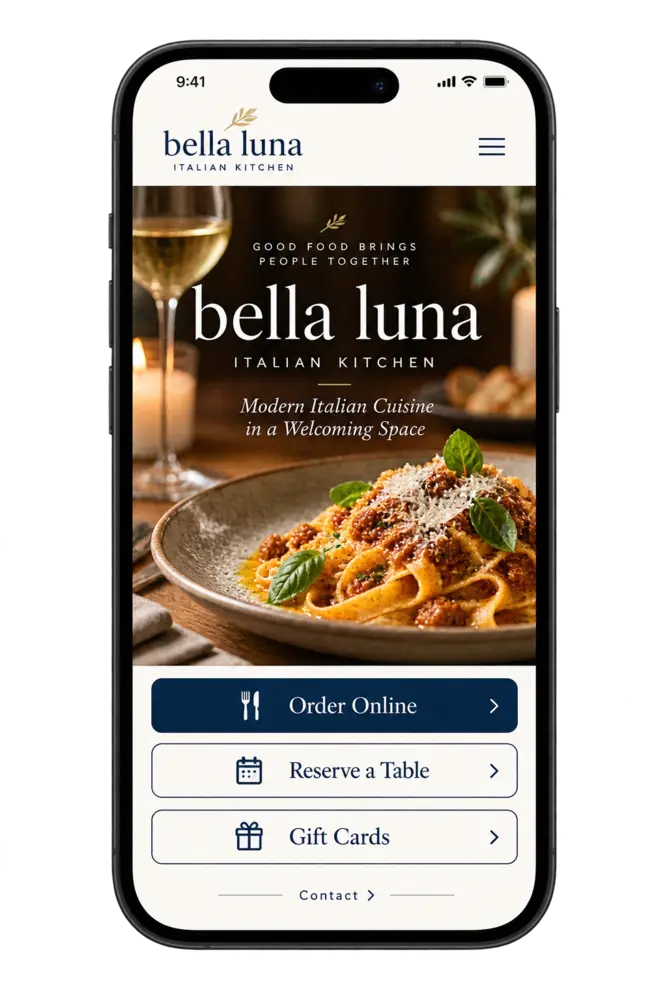
  • Order Online
  • Reserve a Table
  • Buy a Gift Card
  • Contact or Find the Restaurant
Explore Reservations →
Restaurant website with online ordering, table reservations, gift cards, and contact options
Restaurant Brand

Built Around Your Restaurant Brand

Configure the website around your restaurant rather than presenting a generic business page. Templates can be tailored with the details that make your concept recognizable.
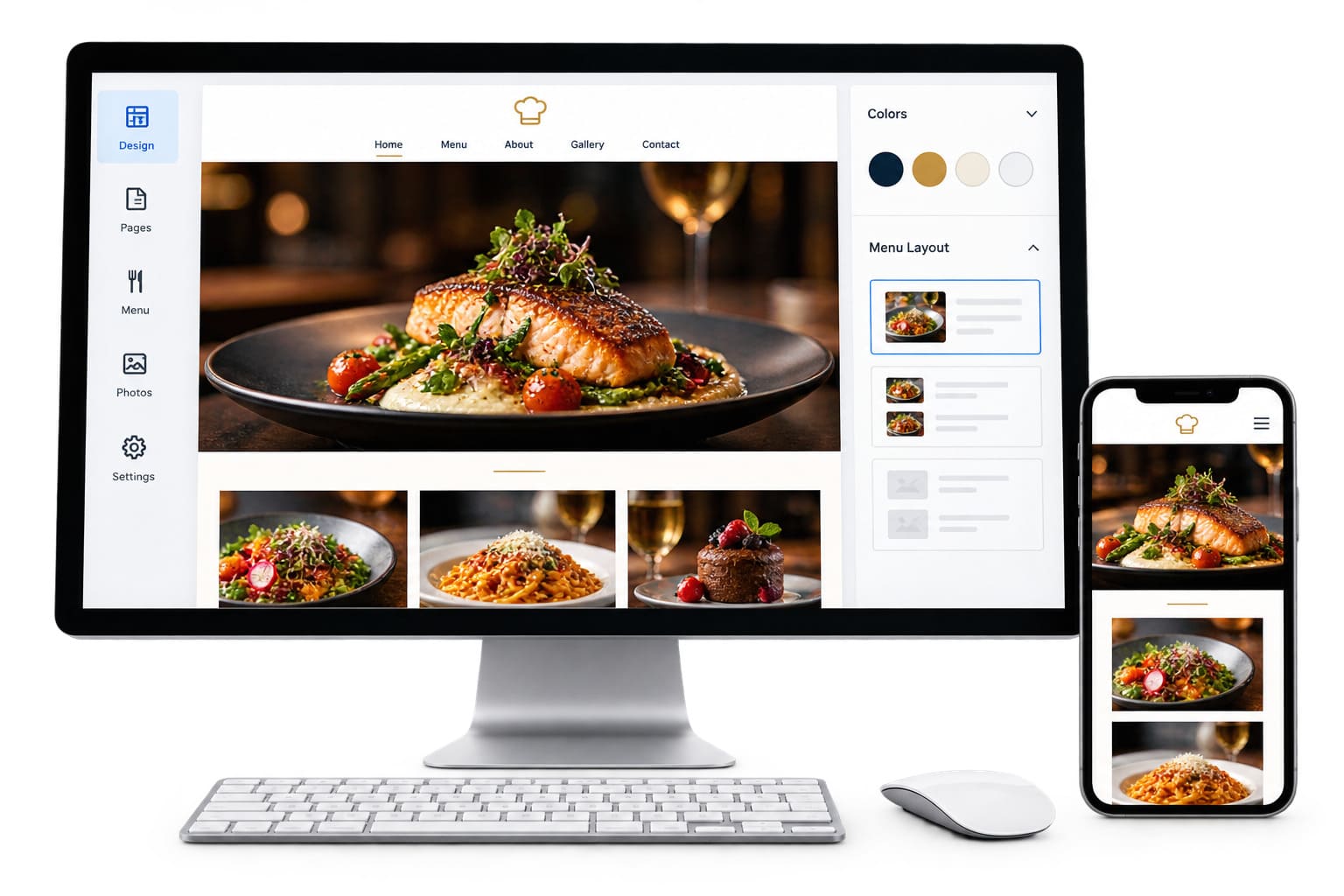
  • Logo and colors
  • Restaurant photography
  • Cuisine and atmosphere
  • Menu presentation
Mobile restaurant website with online ordering, table reservations, gift cards, and contact options
Domain & Hosting

Your Website, Your Domain

Use a custom domain with website hosting, SSL, and a mobile-friendly experience as part of the supported website setup.
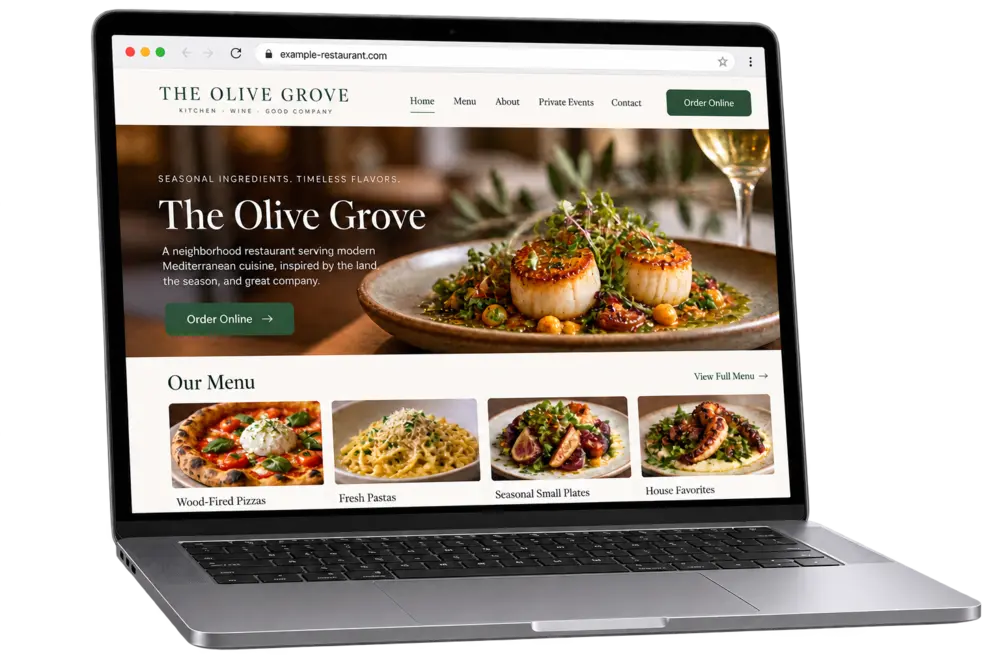
  • Custom domain options
  • Website hosting
  • SSL configuration
  • Mobile-friendly pages
Restaurant website displayed on a custom domain with an SSL-secured browser connection

Connected Restaurant Website vs. Disconnected Website Tools

Compare a restaurant-focused website workflow with a separately managed generic setup.

WorkflowGeneric / Disconnected SetupConnected Restaurant Website
Primary workflowWebsite managed separatelyRestaurant-focused workflow
Guest actionsMay rely on separate systemsConnected actions where supported
Restaurant technologyTools maintained independentlyBuilt around the POS ecosystem
UpdatesMore manual coordinationFewer disconnected updates

Support From Setup Forward

Shift4 Dine Partners can assist with website setup, menu and content preparation, domain configuration, supported feature connections, and ongoing questions.

  • Website Setup
  • Menu & Content
  • Domain Assistance
  • Feature Connections
  • Ongoing Support

Trusted by 153,000+ Businesses Nationwide

Coral HospitalityLive!Shoney'sTaffer's Tavern7PIENot Your Average Joe

What Our Clients Say

Powered by Google Reviews

Posted on Google Google
Olivia Ramos profile picture
Olivia Ramos
Google star 1Google star 2Google star 3Google star 4Google star 5Trustindex verifies that the original source of the review is Google.
Very well trained professional work done right! Best POS by far! Definitely will be recommending to all my business friends! The customer service has gotten better and I love the fact that they have real technicians that can come by to fix issues next day!
Posted on Google Google
Little Pecan Bistro profile picture
Little Pecan Bistro
Google star 1Google star 2Google star 3Google star 4Google star 5Trustindex verifies that the original source of the review is Google.
Costs of using this POS is much cheaper than some companies in the market. Customer service in general is very caring and professional. The system is easy to operate with. The online gift cards purchase isn’t user friendly, called service team several times, not so much improvement has been made. Hopefully in the future they may solve the problem.
Posted on Google Google
Ray Murray profile picture
Ray Murray
Google star 1Google star 2Google star 3Google star 4Google star 5Trustindex verifies that the original source of the review is Google.
Did a lot of research on different POS before deciding on this one for 3 restaurants. Very happy with our decision. It has all of the modern equipment and convenience features we wanted at a better price point than most others out there. The 3 restaurants are all different so it’s nice to be able customize the set up to fit each one’s unique needs. Very user friendly interface on POS, handhelds, and back office log in. All in all a really great value!
Posted on Google Google
BROOKLINE FAMILY Restaurant profile picture
BROOKLINE FAMILY Restaurant
Google star 1Google star 2Google star 3Google star 4Google star 5Trustindex verifies that the original source of the review is Google.
I’m very fond of this and will continue to do business with them, very helpful always and good care whenever needed.
Posted on Google Google
DONGWOO PARK profile picture
DONGWOO PARK
Google star 1Google star 2Google star 3Google star 4Google star 5Trustindex verifies that the original source of the review is Google.
best pos system! especially Max the sales rep helped us a lot with setting up the account!
Posted on Google Google
Carmelo Graceffa profile picture
Carmelo Graceffa
Google star 1Google star 2Google star 3Google star 4Google star 5Trustindex verifies that the original source of the review is Google.
Sales rep Max worked with us on selling and installing a brand new Harbortouch POS. He was helpful every step of the way. He knows the product and he adjusted the software to work for our restaurant. The system is pretty easy to use. Remote tech support is available to troubleshoot when we need them. We're pretty satisfied. This was our very first POS. Our operations streamlined significantly.
Posted on Google Google
Jim Tziavas profile picture
Jim Tziavas
Google star 1Google star 2Google star 3Google star 4Google star 5Trustindex verifies that the original source of the review is Google.
We just got our pos system in our restaurant. Everything works good so far. We like accepting Apple Pay and Online Orders directly through the system. The POS itself is very easy to use. The guys at Harbortouch POS of Boston showed us great support since the installation. They have been in our restaurant for the whole week until our staff got used to everything. 5 stars deserved!

Frequently Asked Questions

What is a restaurant website builder?

A restaurant website builder helps create and maintain a website designed around restaurant content such as menus, locations, hours, ordering, reservations, and guest actions.

Can the website connect with Shift4 Dine POS?

The website is designed for the Shift4 Dine ecosystem. Available connections depend on the restaurant’s selected features and configuration.

Can I use my own domain?

Custom domain options are supported. Shift4 Dine Partners can review whether to connect an existing domain or prepare a new one for the website.

Can I connect online ordering to the website?

Yes. The website can provide a direct path into supported Shift4 Dine online ordering workflows.

Can the website include reservations and gift cards?

The website can direct guests to supported reservation and digital gift card experiences when those features are configured.

What is involved in setting up the website?

Setup includes a restaurant brief, brand and content preparation, menu and page configuration, connection of selected guest features, review, and launch preparation.

Let’s Build a Better Restaurant Website

Tell us about your restaurant, brand, and digital ordering needs.

A Shift4 Dine Partners specialist will follow up about your website needs.

Ready to Turn Your Website Into a Better Guest Experience?

Build a restaurant website that works with the guest-facing tools your operation uses.

Brand update

Shift4 Dine, formerly SkyTab POS

Shift4 Dine is the updated restaurant POS solution previously known as SkyTab POS. If you are searching for any of the products below, they are now part of the updated Shift4 Dine product family: