Kitchen receipt printing
Support order receipt printing for a restaurant kitchen workflow.
Free hardware included with subscription
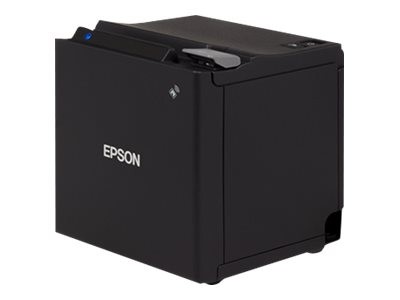
(SkyTab) Kitchen & Receipt Printer connects with the Shift4 Dine POS to print customer receipts and kitchen tickets as part of the restaurant order workflow. Printers can be assigned to specific stations and used for front-of-house receipt printing, back-of-house ticket routing, or both, depending on the restaurant setup.
(SkyTab) Kitchen & Receipt Printer is part of the Shift4 Dine restaurant POS hardware setup for printing customer receipts, kitchen tickets, and other order-related slips. Depending on the role assigned in the system, a printer can support front-of-house checkout, back-of-house production, or both. Shift4 Dine allows printers to be configured from the Workstation and assigned to the part of the restaurant workflow where printed information is actually needed.
For front-of-house use, the Shift4 Dine receipt printer connects to the Workstation and handles customer receipts and related transaction printing. Current Shift4 documentation identifies an SNBC thermal printer for receipt printing, connected through the Workstation’s USB hub. Receipt printers can also be linked with a cash drawer where that setup is used. The printer becomes part of the same POS environment as the order and payment workflow rather than operating as a separate standalone device.
Kitchen printers are configured for ticket printing and can be assigned to specific stations, menu items, or modifiers. This allows restaurants to route printed order information to the appropriate preparation area instead of sending every ticket to the same printer. Shift4 Dine also supports printer groups, which can route tickets according to criteria such as order type. For example, dine-in orders can print to one kitchen printer while takeout, call-in, pickup, or online orders are directed to a different printing workflow. This is useful for restaurants with multiple prep areas, bars, takeout counters, or separate kitchen stations.
A restaurant can also use a receipt printer for both customer receipts and order tickets when the configuration calls for a dual-purpose device. That flexibility makes the printer useful alongside a Kitchen Display System or as the primary printed-ticket workflow in locations that still rely on paper in the kitchen. For restaurants that need clear physical receipts and dependable ticket routing, (SkyTab) Kitchen & Receipt Printer provides a practical connection between the Shift4 Dine POS, front-of-house transactions, and back-of-house order preparation.
Support order receipt printing for a restaurant kitchen workflow.
Adds a specific operational capability to a connected restaurant POS setup.
Keeps the relevant task available where restaurant staff need it.
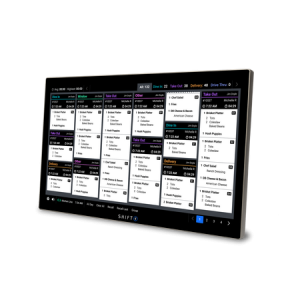
(SkyTab) Kitchen Display System is a restaurant KDS that sends live order information from Shift4 Dine to kitchen stations. Staff can view…

(SkyTab) Workstation is a fixed restaurant POS terminal for order taking, check management, payments, and day-to-day front-of-house operations. It serves as the…
Powered by Google Reviews
It supports restaurant kitchen receipt printing as part of the POS workflow.
This product is intended for use within the Shift4 Dine restaurant POS workflow.
Consider the service workflow, the staff role using the device, and the connected POS components already in use.
It supports a focused task within the connected Shift4 Dine POS workflow.
No. It is an accessory that supports a specific restaurant operation role.
Have questions about this product? A Shift4 Dine specialist will contact you.
Talk with a Shift4 Dine specialist about this product.
Shift4 Dine is the updated restaurant POS solution previously known as SkyTab POS. If you are searching for any of the products below, they are now part of the updated Shift4 Dine product family:


