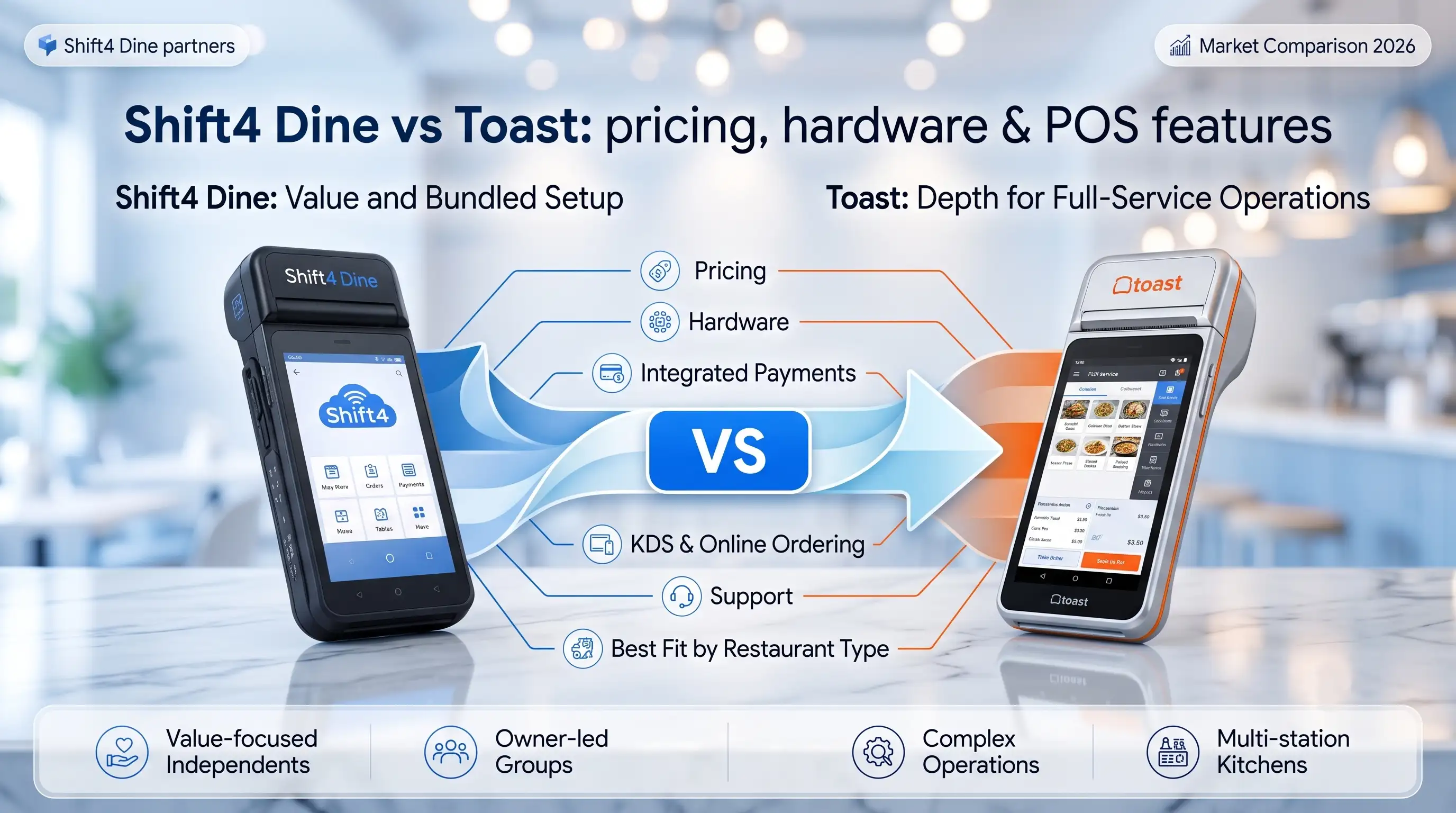
Choose Shift4 Dine if you want bundled hardware, integrated payments, and a
lower fixed monthly cost. Base software starts at $29.99/month per terminal, hardware is
included at no upfront cost — but requires a 36-month contract and Shift4 processing.
Choose Toast if your restaurant needs deeper full-service workflows, mature
KDS, strong handheld ordering, and a broader digital ecosystem. Base Point of Sale plan starts at
$69/month per terminal.
Neither system wins on headline price alone. A 0.3% difference in processing
rate on $50,000/month in card sales is $1,800/year — that dwarfs any monthly software fee debate.
Choosing between Shift4 Dine and Toast is less about a feature checklist and more about operating
model. If your main concern is bundled setup, payments alignment, and a simpler starting point, Shift4 Dine may look
stronger. If your restaurant depends on deeper full-service workflows, a broader restaurant software ecosystem, and
mature digital ordering layers, Toast often stays in the short list.
“When owners compare POS systems, they usually start with features and end up learning that
the real difference is operating fit. In practice, rollout, payment economics, and how the system behaves during
peak hours matter more than a glossy demo.” — Max Artemenko, POS Systems Expert & Product
Architect, Shift4DinePartners.us
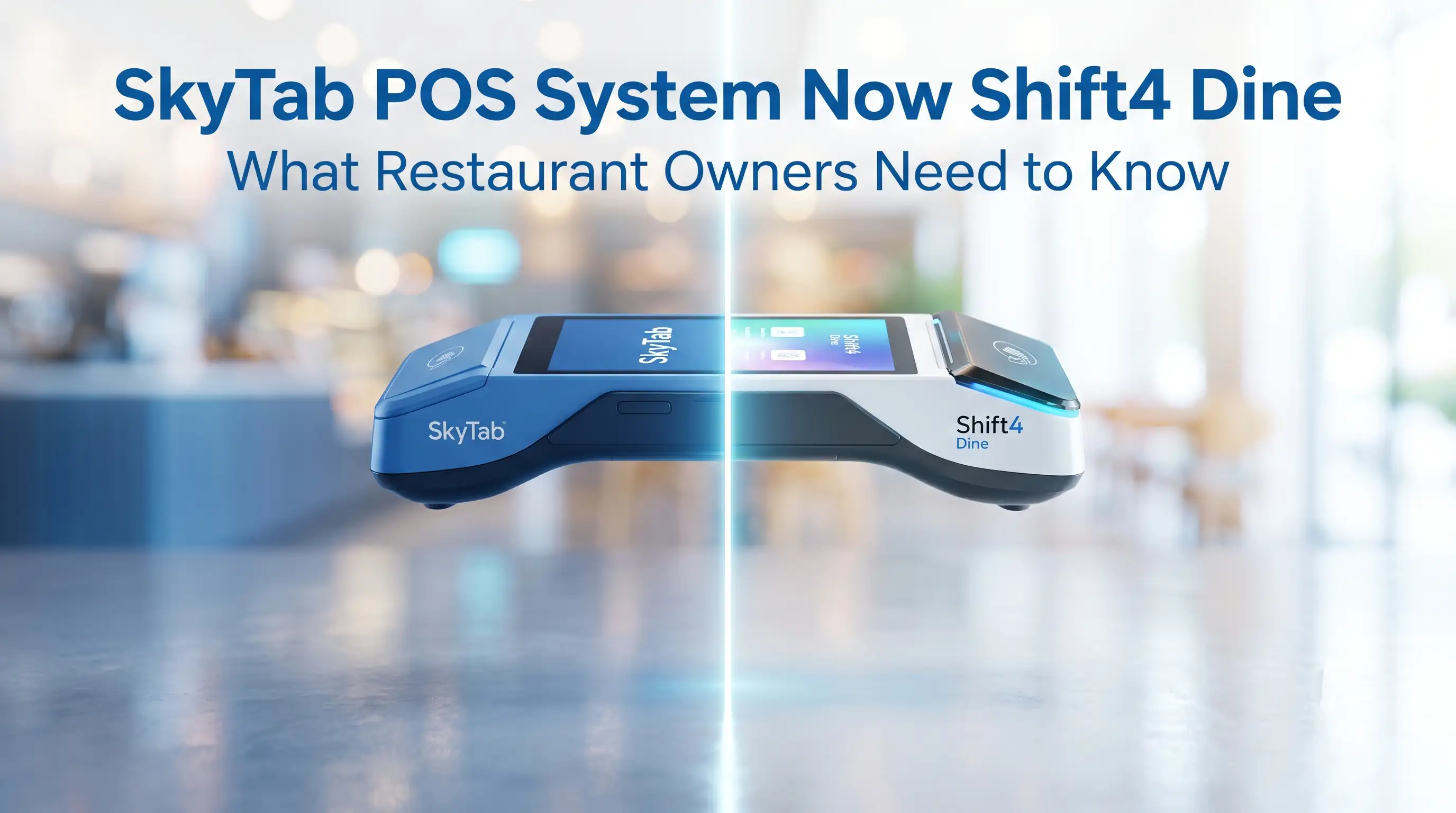
One clarification before we get into the comparison. Older searches often use SkyTab vs
Toast, Toast vs SkyTab, or SkyTab POS vs Toast POS. In this article,
Shift4 Dine is used as the current name and SkyTab as the earlier product branding
or historical context: Shift4 Dine, formerly SkyTab POS.
While pricing varies by custom quote, real-world deployments show clear patterns in total cost. Base
software starts at $29.99/month for Shift4 Dine and $69/month for Toast, but total cost depends heavily on
processing rates — typically 2.4%–2.75% — and contract terms. Where independent data is missing, that is labeled
clearly. This comparison relies on two things: official vendor positioning where available, and implementation-side
judgment from real restaurant rollouts.
Shift4 Dine vs Toast at a glance
The short version is simple. Shift4 Dine usually makes more sense for operators who care about bundled
value, integrated payments, and a more straightforward launch path. Toast usually makes more sense for restaurants
that want a mature full-service restaurant POS stack with strong handheld ordering, KDS, and online ordering depth.
That does not mean one system is universally better. They often win for different reasons.
Understanding why they differ in price and structure starts with understanding what each
company actually is at its core. Toast is a vertical SaaS company that became a Payment Facilitator
(PayFac). It started with a clear wedge into mid-market restaurants, built tailored products — KDS,
handhelds, payroll, loyalty, digital ordering — and stitched it all together with embedded payments. Because Toast
owns merchant onboarding, risk, and pricing, it has better UX control but also higher operational costs and a
high-touch, field-driven sales model. That’s why its pricing is software-forward.
Shift4, on the other hand, has processor roots. It built the payment rails first —
authorization, clearing, settlement — and then plugged into large hospitality venues like hotels, stadiums, and
casinos. With SkyTab (now Shift4 Dine), it moved aggressively into independent restaurants. Because Shift4 doesn’t
just bundle software but also moves the money, it has better unit economics and can afford to subsidize POS
hardware and offer lower effective software rates. That’s why “free hardware” is possible — the economics
live in the processing contract, not the software fee.
In plain terms: Toast is a SaaS company with payments built in. Shift4 is a payment processor
with software built on top. Same customer type. Completely different economics underneath.
Shift4 Dine (formerly SkyTab) vs Toast: quick comparison by category
Comparison area
Shift4 Dine / formerly SkyTab
Toast
Pricing structure
$29.99/month per terminal; hardware included; 36-month contract required; processing at 2.75% + 15¢
standard
$0–$69/month per terminal depending on plan; hardware financing available; PCI compliance fee
~$9.95/month auto-enrolled
Business model
Payment processor moving into software; subsidizes hardware via processing economics
Vertical SaaS/PayFac; owns merchant onboarding and pricing; software-forward monetization
Integrated payments
Core of the commercial model; Shift4 processing required
Core of the commercial model; Toast Payments required
Hardware bundle
Terminal, printer, cash drawer, card reader included at no upfront cost with contract
Broad branded hardware ecosystem; Starter Kit available on financing
That table is the fast answer. The rest of the article is the operational answer.
Where Shift4 Dine / Shift4 Dine stands out
Shift4 Dine tends to stand out when the buyer cares about total setup practicality more than software
theater. In plain terms, it gets attention from independents who want integrated payments, a hardware bundle, and
fewer moving pieces at launch.
That matters because many POS buying mistakes happen before the first order is ever rung in. A
restaurant buys a system for the demo, then discovers the real costs are hidden in processing, add-ons, training
gaps, or hardware decisions. Fees eat margin quietly — and they start on day one.
The business model matters here. Because Shift4 is a processor, not a SaaS company, it can offer
hardware at no upfront cost and bundle features that competitors sell as add-ons — online ordering, loyalty,
reservations, and waitlist are all included in the base package. The trade-off is the 36-month processing
commitment. Read the contract before signing.
In my experience, Shift4 Dine conversations go better when the owner asks operational questions early:
What is included in the hardware bundle? Which payment rails are required? What support is local versus remote? What
is native versus integrated? Those are better questions than “Does it have 100 features?”
In one rollout for a casual full-service operator, the initial ask was “we just need a cheaper
Toast alternative for restaurants.” That was too vague. We mapped menu logic, modifiers, split-check behavior,
and Friday-night card volume first. The result was a cleaner recommendation because the decision was based on
workflow and processing economics — not on homepage messaging.
There is also a trust angle here. Operator feedback consistently points to support responsiveness and
smoother transitions as a real buying factor. As one operator noted after switching: “SkyTab POS has been a
heaven sent system for us. The system itself is so user friendly and their staff made the conversion so
seamless. They have 24-hour customer service so you have access to getting any issues resolved at any time of
the day 7 days a week.”
Where Toast stands out
Toast tends to stand out when the restaurant needs a broader, more standardized full-service
operating layer. That usually includes stronger expectations around handheld ordering, KDS, online ordering, and a
larger surrounding ecosystem.
Toast also benefits from being widely recognized in the U.S. restaurant POS market. According to
official positioning, Toast serves more than 100,000 locations in the 2024–2025 period. Even without a precise
published market share figure, that level of footprint matters — it influences third-party familiarity, hiring
familiarity, and operator comfort during selection.
The practical meaning is simple. If a multi-station kitchen, tableside payment flow, digital
ordering, and standardized full-service workflows are high on your list, Toast often feels familiar to the market
for a reason.
That said, scale does not equal fit. A larger ecosystem can also mean more modules, more package
decisions, and more contract reading. Toast’s real-world all-in cost for a full-service spot commonly lands at
$1,000–$2,000+/month once you add hardware, software, processing, PCI fees, and add-on modules. That is powerful —
and it is overkill for a small operation.
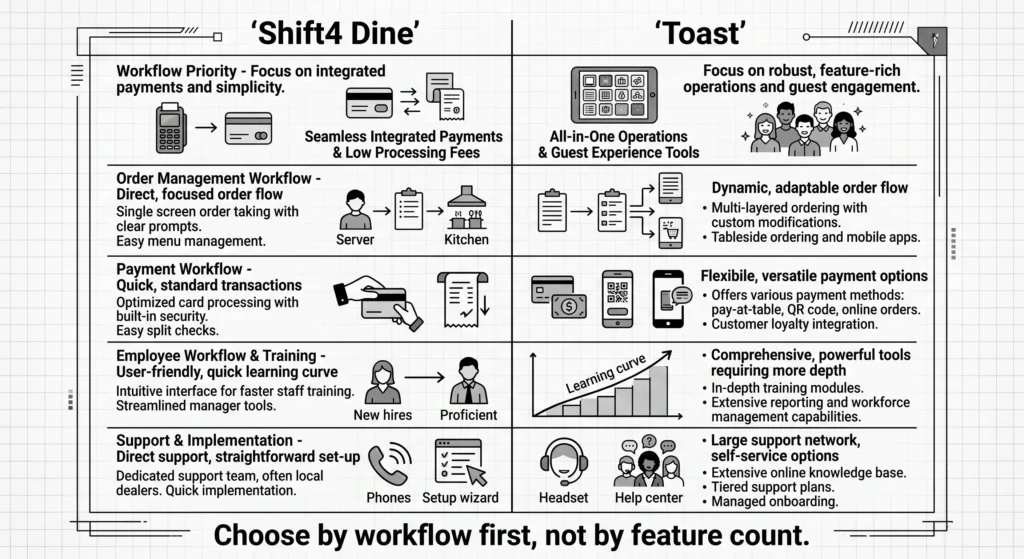
Shift4 Dine vs Toast: which restaurant POS fits your business? 1
Caption: Shift4 Dine vs Toast restaurant POS comparison — choose by workflow first, not by
feature count.
Switching to a new POS system doesn’t have to be painful. The Shift4 Dine Partners team provides
seamless conversion and 24/7 support, 7 days a week. Learn how to switch from a legacy POS to SkyTab
without losing orders — and get professional installation from technicians available the next day.
Pricing structure and payment model
This is where many restaurants make the wrong decision. The real comparison is not monthly software
fee versus monthly software fee. The real comparison is total cost of ownership — software,
integrated payments, hardware, onboarding, add-ons, and support-related costs.
I’ve watched owners sign contracts based on the software line alone, then spend the next year
absorbing processing fees they never modeled. That’s the markup trap. Banks love opacity, and so do overpriced POS
vendors.
“The real comparison is total cost of ownership, including software, integrated payments,
hardware, onboarding, add-ons, and support-related costs.” — Max Artemenko, POS Systems Expert &
Product Architect, Shift4DinePartners.us
Here is what the market benchmark data actually shows for base conditions:
Shift4 Dine vs Toast: pricing structure and cost categories
Cost category
Shift4 Dine / formerly SkyTab
Toast
Base POS software fee
$29.99/month per terminal
$69/month per terminal (Point of Sale plan); $0 on Starter Kit with hardware financing
Processing rate (standard)
2.75% + 15¢ per transaction (negotiable on volume)
2.4%–2.99% + 15¢ depending on plan
Contract term
36-month agreement required for free hardware
Typically 2-year contract
PCI compliance fee
Verify in proposal
~$9.95/month auto-enrolled; plus statement, batch, and chargeback fees
Hardware bundle
Terminal, printer, cash drawer, card reader included — no upfront cost
Hardware on financing or purchased; Starter Kit available
Online ordering / loyalty / reservations
Bundled in base package
Usually separate modules; add-on pricing
Starter kit / onboarding
Verify scope in proposal
Verify scope in proposal
Support-related costs
Clarify local on-site vs. remote; what is included vs. premium
Clarify included support tiers and escalation path
Best way to compare
Model 12-month and 36-month total cost including processing volume
Model 12-month and 36-month total cost including processing volume
For deeper analysis on hidden costs in POS systems,
reviewing the full fee structure line by line before signing is always worth the time.
Understanding the “free hardware”
trade
The most important thing to understand about Shift4 Dine’s pricing model: free hardware is not a
gift. It is a financing trade built into the processing economics. Shift4, as a payment processor, can afford to
subsidize the terminal, printer, and card reader because it earns margin on every transaction you process for the
next three years.
That means:
You cannot switch payment processors during the 36-month term
Early termination typically carries a penalty
The 2.75% + 15¢ standard rate is your baseline — negotiate before signing, especially if your
monthly card volume exceeds $30,000
Run the math for your specific situation. A restaurant processing $50,000/month in card sales at
2.75% pays $1,375/month in processing fees. A 0.25% reduction would save $1,500/year — more than the annual
difference between Shift4 Dine’s and Toast’s software fees combined. That’s not a small number.
POS software fees vs payment processing
economics
Toast and Shift4 Dine are evaluated through different commercial lenses. Toast tends to feel more
software-forward in how buyers read the offer. Shift4 tends to feel more payments-linked in how the economics are
framed. That distinction matters because a low visible software line can be offset by processing costs, while a
clear software fee may come with a different payment structure.
A practical example. A restaurant processing high card volume may see more long-term impact from
basis points in card acceptance than from a small monthly software difference. Another restaurant with lower volume
but more software module needs may care more about subscriptions and add-ons than about small processing deltas.
In one migration review, the owner focused on the monthly POS fee first. We rebuilt the model around
annual card volume, average ticket, online-order mix, chargeback exposure, and number of service stations. The
result changed the preferred option — because payment economics had more impact than the headline software quote.
Compare operating economics, not sales-page optics.
Hardware bundle, starter kit, and add-on costs
Hardware affects both launch cost and rollout risk. If the system is cheap on paper but under-scoped
on printers, handhelds, network readiness, or kitchen screens, the savings disappear fast.
Ask each vendor or partner for a line-by-line hardware scope:
Fixed terminals
Handheld ordering devices
Guest-facing payment devices
Printers
KDS screens
Routers or network recommendations
Spare devices
Install and training scope
A single-location operator usually wants fewer unknowns. A growing operator needs repeatability.
Those are different buying motions.
In a two-location restaurant project, the owner wanted to cut startup cost by removing spare
handhelds and delaying kitchen display hardware. We modeled failure points during peak periods and added one spare
mobile device plus staged KDS deployment by station. Result: launch stayed stable, and the operator avoided the far
more expensive outcome of mid-service bottlenecks.
Contracts and vendor lock-in risks
This deserves its own honest section. Both systems tie you to their processing ecosystems — and
understanding what that means at exit time matters before you sign.
Shift4 Dine lock-in risks:
36-month processing commitment is real; read the early termination clause
You cannot use the hardware with a different payment processor
The “free” terminal becomes expensive if you want to leave before the contract ends
Toast lock-in risks:
Toast hardware runs a proprietary Android build that does not work with non-Toast processors
PCI compliance fees (~$9.95/month), statement fees, and batch fees are auto-enrolled — not
always visible in the headline quote
Upgrading modules mid-contract can trigger new pricing tiers
The honest bottom line: both platforms require commitment. The difference is in where the
commitment lives — in the processing contract (Shift4) or in the software and hardware ecosystem (Toast).
Pricing information is for reference purposes only and is not a public offer. Financial terms
depend on payment volume and selected service package. Always verify current terms directly with the vendor
before signing. Last verified: January 2026. Official sources: toasttab.com and shift4.com.
Core restaurant POS features compared
For day-to-day restaurant work, both systems can cover the core POS job. The meaningful difference is
not whether they can take orders. It is how cleanly they support your actual service model under pressure.
That includes front-of-house speed, back-of-house flow, and digital order handling.
Front-of-house speed: handheld
ordering and tableside workflow
If your dining room relies on tableside service, handheld ordering matters a lot. It can reduce
walk-backs, shorten order transmission time, and tighten payment flow at the table.
When staff can send orders and accept payment without returning to a terminal, tableside workflows
measurably reduce service steps and friction — though the exact impact varies by concept, floor layout, and how well
the device paths are configured. The direction is consistent: fewer steps usually mean faster turns.
For Toast, handheld ordering is one of the platform’s better-known strengths in full-service
environments. For a direct device-level comparison, the SkyTab Mobile vs Toast Go
comparison breaks down screen size, battery life, and real-world tableside performance. For Shift4 Dine, the
question is less “does handheld exist?” and more “how well is it configured for your actual floor
flow?”
That difference matters. A handheld device does not fix bad menu logic, messy modifiers, or poorly
designed tip prompts.
In one bar-and-grill deployment, servers were using handhelds but still creating delays because
modifier screens were overbuilt. We simplified button paths, grouped common add-ons, and removed duplicate prompts.
Result: staff stopped bouncing between screens, and tableside ordering started saving time instead of adding
friction.
What to test during the demo: Run a real 6-top order with modifiers, a split check,
and a tip adjustment. That scenario reveals more than any product walkthrough.
Back-of-house operations: KDS and kitchen flow
A KDS is only useful when it matches the kitchen’s routing logic. That means expo, stations, firing
rules, and order source handling need to be mapped before launch. For details on how the SkyTab Kitchen Display Screen routes
tickets by station, the product page walks through the configuration logic.
Toast is often perceived as stronger in kitchen workflows because operators expect a more mature
ecosystem. Shift4 Dine can still work well, but the question is configuration depth and whether the implementation
team understands kitchen sequencing.
What I usually tell operators: demo the KDS using your real ticket flow. Lunch combos. Dinner
modifiers. Online orders hitting at the same time as in-house orders. That is where the answer appears.
A seafood concept I worked with had grill, fry, and raw bar timing conflicts during peak windows. We
rebuilt station routing and adjusted expo views around actual prep dependencies. The improvement came from kitchen
logic inside the POS setup — not from the brand name on the terminal.
Key KDS questions to ask in demo:
How does the system handle simultaneous online and in-house ticket firing?
Can you set different prep time targets by station?
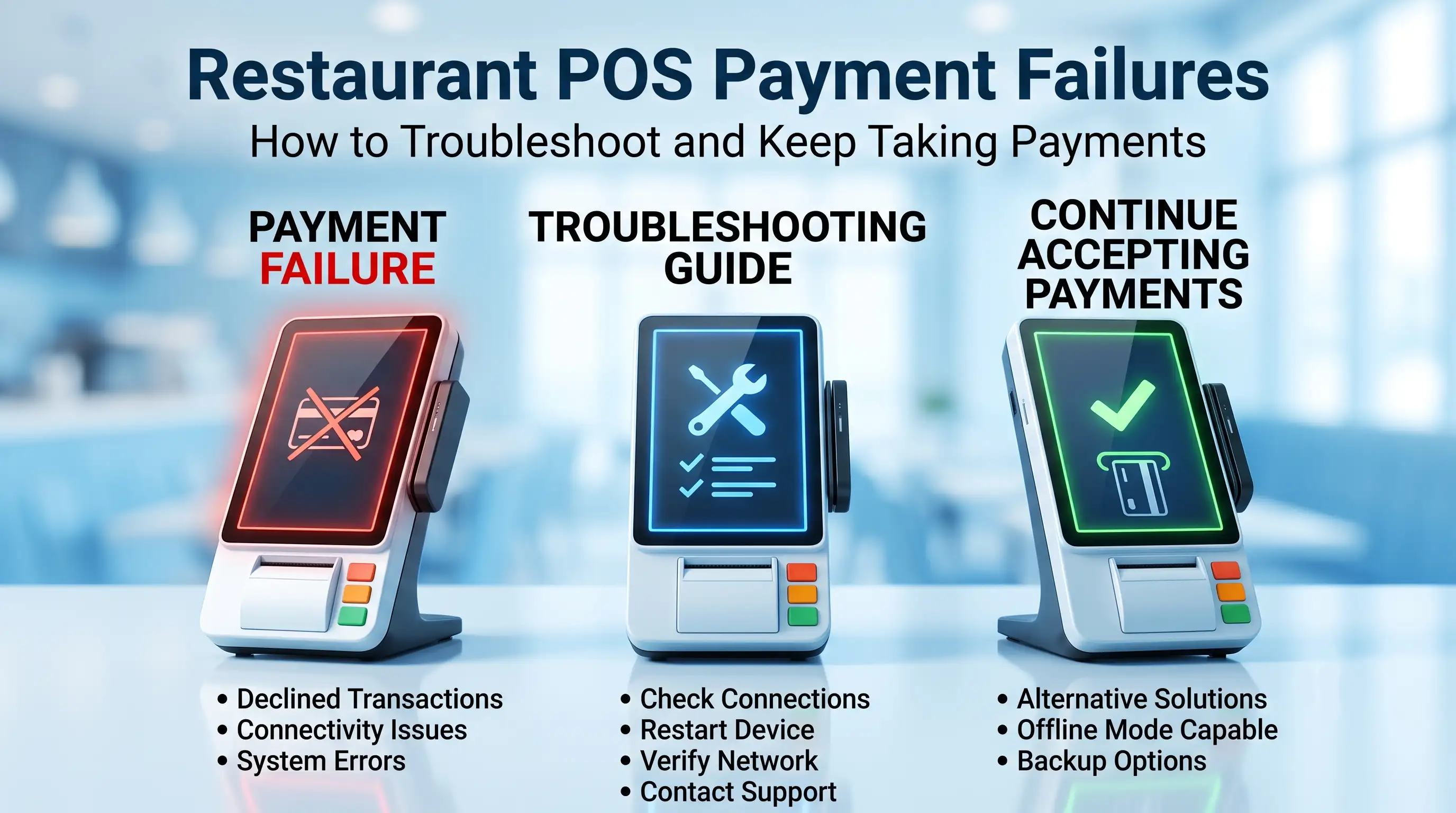
What happens to an open ticket if the internet drops?
Offline mode: what happens when the
internet goes down
This is one of the most overlooked factors in POS selection — and one of the most operationally
critical.
Toast uses a local network architecture that allows the system to continue
processing orders and payments even when the internet connection drops. The POS syncs when connectivity is restored.
Shift4 Dine also has offline capability, but the scope — specifically around card
payment acceptance offline — should be confirmed with your specific reseller and verified in the contract. Not all
configurations handle offline card processing identically.
Before signing with either platform, ask specifically: “If my internet goes down during a
Friday dinner rush, can I still take card payments? For how long? What syncs when connectivity
returns?” A clear answer — not a vague “it handles it” — is what you need.
Online ordering and guest-facing convenience
For many restaurants, online ordering is no longer an add-on. It is part of the base operating model.
So the comparison should focus on cost structure, guest experience, and how cleanly web orders land inside the POS.
Toast usually has the stronger reputation for an integrated guest-facing digital layer. That tends to
matter for operators who want ordering, promotions, and POS data to live in one environment.
For Shift4 Dine, online ordering, loyalty, reservations, and waitlist are bundled in the base
package — features Toast typically charges for as separate modules. The fit depends on the exact
package and integration path, so verifying the digital path in the demo and in the contract is still necessary.
Check these points regardless of platform:
Who owns the guest journey
How refunds and order edits sync
What happens with modifiers
How throttling and prep times are managed
What the effective cost is on direct online orders
Hardware options and deployment
Hardware choice shapes training speed, service stability, and replacement risk. The right setup is
not the one with the longest catalog. It is the one that fits the floor, the kitchen, and the service pace.
Fixed terminals, handhelds, and
restaurant floor setup
Most full-service restaurants need a mix of fixed and mobile devices: one or more anchor terminals,
handheld ordering for floor staff, kitchen screens or printers depending on workflow, and a payment path that does
not create a line at the host stand.
Toast’s hardware story is usually easier for buyers to picture because the ecosystem is familiar and
built around restaurant-specific use cases. Shift4 Dine can be cost-effective when the hardware bundle is aligned
well, but the setup should still be engineered around actual traffic patterns.
A classic floor setup often looks like this:
Fixed terminal at host or service station
Handhelds for servers
Kitchen display by production area or printers by station
Backup payment path if one mobile device fails
That does not sound glamorous. It is supposed to work, not look glamorous.
A note on Toast hardware: Toast runs a proprietary Android environment. That means
Toast terminals work only with Toast’s payment processing. You cannot repurpose the hardware if you switch
platforms. Factor that into your total cost model — especially for multi-terminal operations.
Ease of rollout for single-location vs
growing operators
Single-location launches and multi-location rollouts are different projects. A single location can
tolerate some customization. A growing operator needs repeatable templates, cleaner permissions, and tighter
hardware standards.
Shift4 Dine often appeals when startup simplicity and bundled setup matter. Toast often appeals when
standardization across a more complex operation matters.
Neither advantage is automatic. Implementation quality decides a lot.
In one independent restaurant opening, the owner wanted the fastest path to go live with minimal
upfront complexity. We reduced the initial device map, standardized user roles, and trained only the critical
opening workflows first. Result: smoother launch week, fewer staff errors, and a cleaner path to expand settings
later.
In a multi-unit environment, more template discipline, more role controls, and more consistency in
hardware assignment are always the goal. If that discipline is missing, scaling any POS becomes painful — regardless
of which brand is on the terminal.
Analytics, labor, and growth tools
A restaurant POS should not stop at order entry. It should also help operators see labor pressure,
sales patterns, repeat-guest behavior, and decision points worth acting on.
Labor management and operational visibility
Labor tools matter when they help managers make a same-day decision. If the system only creates
reports no one uses, it adds clutter.
What matters in practice:
Time tracking that staff actually follow
Clean permission roles
Visibility into sales by hour and labor by shift
Easier tip handling and distribution
Export paths into payroll workflows
Based on product positioning, Shift4 Dine includes a fuller built-in labor management suite —
including tip distribution by scenario and exports to payroll platforms. Toast covers time tracking basics but
relies more on add-on modules or third-party integrations for deeper payroll workflows. The right move is to treat
both claims as demo checklist items, not settled facts.
Ask each vendor to show:
Time clock edits and manager approval flow
Tip pooling or allocation logic
Labor reporting by role and shift
Payroll export path
That five-minute demo can save you months of frustration.
Loyalty, marketing, and repeat-guest potential
Loyalty tools are useful when they create repeat visits without creating data chaos. Restaurants do
not need more dashboards. They need a clean loop between guest behavior and actionable offers.
Data-driven loyalty programs have directional evidence supporting increased repeat visit frequency,
though the exact impact varies significantly by concept, execution, and how well staff can explain the program at
the table or counter.
What matters here is integration quality:
Can the POS identify return guests cleanly?
Can the restaurant segment offers without a mess?
Do online and in-store orders feed the same guest record?
Can staff understand and support the program at the counter or table?
“A loyalty feature is only useful if the guest journey stays simple and staff can explain it
in one sentence.” — Max Artemenko, Shift4DinePartners.us
Shift4 Dine includes loyalty and email marketing tools in the base package. Toast offers loyalty as a
separate paid module. If your concept lives on repeat traffic, verify what is bundled versus billed before comparing
headline prices. The difference can easily run $50–$100/month per location — which adds up fast across a growing
group.
Support, onboarding, and vendor backing
Support quality matters more than most demos admit. Restaurants do not buy software for normal hours
only. They buy a system that has to hold up on Friday night, during shift change, and when the printer fails five
minutes before a rush.
Questions worth asking before signing:
Is support 24/7 for all issues or only some issues?
Who handles hardware failures — the vendor or a local partner?
Is local on-site support available, and what is the response time?
What is the escalation path for payment outages?
What does onboarding include beyond remote setup?
Shift4 Dine through local partners tends to distinguish itself on local, on-site
support responsiveness. Operator feedback reflects this consistently: “I really love that they have real
technicians that come to assist next day. And their customer service is excellent 24/7. I always get an answer
and a follow up.” Another operator noted: “Max demonstrated strong technical knowledge, which
greatly contributed to the successful transition to the new system. His commitment to being accessible and
supportive throughout the transition process was noteworthy — his responsiveness helped ensure a smooth
transition for us.”
Toast operates a centralized vendor support model. Support quality still depends
heavily on the escalation path and which tier of service agreement is in place.
A simple rule: if a seller avoids specifics on onboarding ownership, emergency contacts, and
replacement timelines, treat that as a risk. Vague answers about support are usually accurate previews of what
happens when something breaks at 7 PM on a Saturday.
Primary source base referenced for this comparison:
Where official public pages do not provide complete details, this article marks that gap instead of
filling it with guesses. Last verification for this article: January 2026.
Which system is better for your restaurant type
The practical answer is this. Choose Shift4 Dine if bundled value, integrated payments, and a more
controlled launch matter more than software breadth. Choose Toast if your restaurant depends on deeper full-service
workflows, stronger digital ordering expectations, and a broader restaurant software environment.
Shift4 Dine vs Toast: which fits your restaurant scenario
Restaurant scenario
Better fit
Why
Independent restaurant focused on startup value
Shift4 Dine
$29.99/month base, hardware included, loyalty and online ordering bundled
Full-service restaurant with complex floor and kitchen flow
Toast
Stronger perceived depth in handheld ordering, KDS, and full-service workflow tooling
Operator prioritizing online ordering ecosystem
Toast
Usually stronger digital ordering perception and ecosystem breadth
Business focused on equipment value at launch
Shift4 Dine
No upfront hardware cost; starter bundle includes terminal, printer, card reader
Growing operator needing repeatable standards
Depends on rollout design
Toast may feel more standardized; Shift4 Dine works well with disciplined deployment
Restaurant chasing the lowest visible monthly fee
Neither by default
Compare total cost including processing rates, contract terms, and add-ons
High-volume restaurant where processing rates dominate
Negotiate with both
A 0.3% difference on $50k/month = $1,800/year; rate matters more than software fee
Choose Shift4 Dine / SkyTab
if value and bundled setup matter most
Shift4 Dine is often the better fit when the owner wants a practical launch package and wants
payments, hardware bundle, and POS setup to work as one operating decision.
That tends to suit:
Independents and owner-led groups
Operators replacing an older POS without wanting a giant software project
Restaurants where payment economics have a large effect on margin
Any operator who values local, on-site technical support
In these cases, value means more than “cheap.” It means fewer mismatches between what was
sold and what has to run every day. Swipe penalties and hidden fees are real — and a bundled model with transparent
processing is often the cleaner path for an independent operator who does not have a dedicated IT team.
Choose Toast if depth for
full-service operations matters most
Toast is often the better fit when service complexity is high and the restaurant wants a mature
all-around stack for front-of-house, kitchen flow, and digital guest touchpoints.
That tends to suit:
Full-service restaurants with multi-station kitchens
Concepts with heavier handheld ordering usage
Operators that need stronger online ordering alignment and modular feature depth
Teams that want a more widely recognized restaurant POS environment
One caution: a deeper stack is only better if the restaurant will actually use it. Paying for unused
complexity is still waste. Real-world all-in bills for a full-service Toast deployment commonly land at 1,000–2,000+/month — make sure the ROI math works
for your volume and margins before committing.
FAQ about Shift4 Dine vs Toast
Is Shift4 Dine the same as Shift4 Dine?
Yes. SkyTab is the earlier or historical product branding. Shift4 Dine is the current name as of 2025–2026. The product, pricing, and team remain the same. This matters for search: older comparisons using “SkyTab vs Toast” refer to the same system.
What does Shift4 Dine actually cost per month?
Base software starts at $29.99/month per terminal. Hardware (terminal, printer, cash drawer, card reader) is included at no upfront cost. However, this requires a 36-month processing agreement with Shift4 at a standard rate of 2.75% + 15¢ per transaction (negotiable). Read the contract term and early termination clause before signing.
What does Toast actually cost per month?
The Point of Sale plan starts at $69/month per terminal and includes online ordering, a branded website, and better reporting. A Starter Kit is available at $0/month for software with hardware on a financing plan (typically for one or two terminals). Real-world all-in costs — including software, processing, PCI compliance fees (~$9.95/month), hardware, and add-ons — commonly run $300–$700/month for a cafe and $1,000–$2,000+/month for a full-service operation.
Is Shift4 Dine a real Toast alternative for restaurants?
Yes. It belongs in the comparison for operators evaluating restaurant POS systems, payment-linked setup, hardware bundle value, and rollout practicality. The exact fit depends on workflow and volume, not just pricing.
What are the hidden fees I should watch for?
For Shift4 Dine: the processing rate commitment and early termination penalty in the 36-month contract. For Toast: PCI compliance fee (~$9.95/month, auto-enrolled), statement fees, batch fees, and chargeback fees — plus add-on module costs for things like loyalty, payroll, and advanced reporting. Always request an itemized 12-month cost projection, not just the software line.
What about funding speed — how quickly do I get my money?
This is a critical cash-flow question many operators overlook. Both platforms offer next-day funding as a standard option, with same-day funding available on some plans or at additional cost. Confirm the exact settlement timeline — and any conditions (minimum volume, account type, or fees) — before signing. For restaurants living on weekly cash flow, a two-day delay in settlement is a real operational issue.
What happens if my internet goes down?
Toast’s local-network architecture allows the system to continue operating offline and syncs when connectivity returns. Shift4 Dine also has offline capability, but confirm the scope of offline card acceptance with your specific reseller. Do not assume — ask specifically what happens to in-progress payments during an outage.
Which is better for a full-service restaurant POS setup?
Toast often looks stronger when the operation needs more depth around handheld ordering, KDS, and digital ordering. Shift4 Dine can still fit full-service restaurants well, but the implementation scope should be reviewed more carefully, and the kitchen display configuration must match your actual routing logic.
Which is better for independents?
Shift4 Dine often has a stronger value story for independents, especially when bundled setup and integrated payments are a major factor. The 36-month contract is the key risk to evaluate honestly.
How should I read custom pricing from Toast?
Ask for every cost bucket in writing: software, payments, hardware, onboarding, online ordering, loyalty, labor, support, contract term, and replacement conditions. If a line item is vague, it will become your problem later.
Are there independent studies proving one system is cheaper or faster?
No reliable peer-reviewed 2024–2025 study comparing these platforms head-to-head was found. Market benchmarks from industry publications provide directional data (the figures cited in this article come from vendor positioning and industry sources like Techpresso’s 2026 restaurant POS roundup), but your own pilot data and a line-by-line proposal comparison are the most reliable tools.
What should I test during the demo?
Use your real workflows: split checks, modifiers, tips, refunds, online orders, kitchen routing, and a busy-service scenario. Also test offline mode. A generic demo hides too much.
What are viable Toast alternatives besides Shift4 Dine?
Square for Restaurants (no contract, free plan, fastest to launch), SpotOn (lowest processing rates at 1.99% + 25¢ on paid plans — ideal for high-volume operators), Lightspeed Restaurant (deep analytics and multi-location management), TouchBistro (iPad-based with strong offline reliability), and Clover (hardware flexibility via reseller network).
What is the biggest mistake operators make in this comparison?
Comparing homepage features instead of total operating fit. The better question is not “Which POS looks better?” It is “Which system will create fewer mistakes and less friction in my restaurant — and what will it actually cost me per month when I include processing, hardware, and add-ons?” That question takes 20 minutes to answer properly. Most operators skip it and spend 36 months paying for the shortcut.
TL;DR: Shift4 Dine POS System (formerly SkyTab POS) is now officially presented as Shift4 Dine — same platform, same hardware, same 24/7 US-based support,