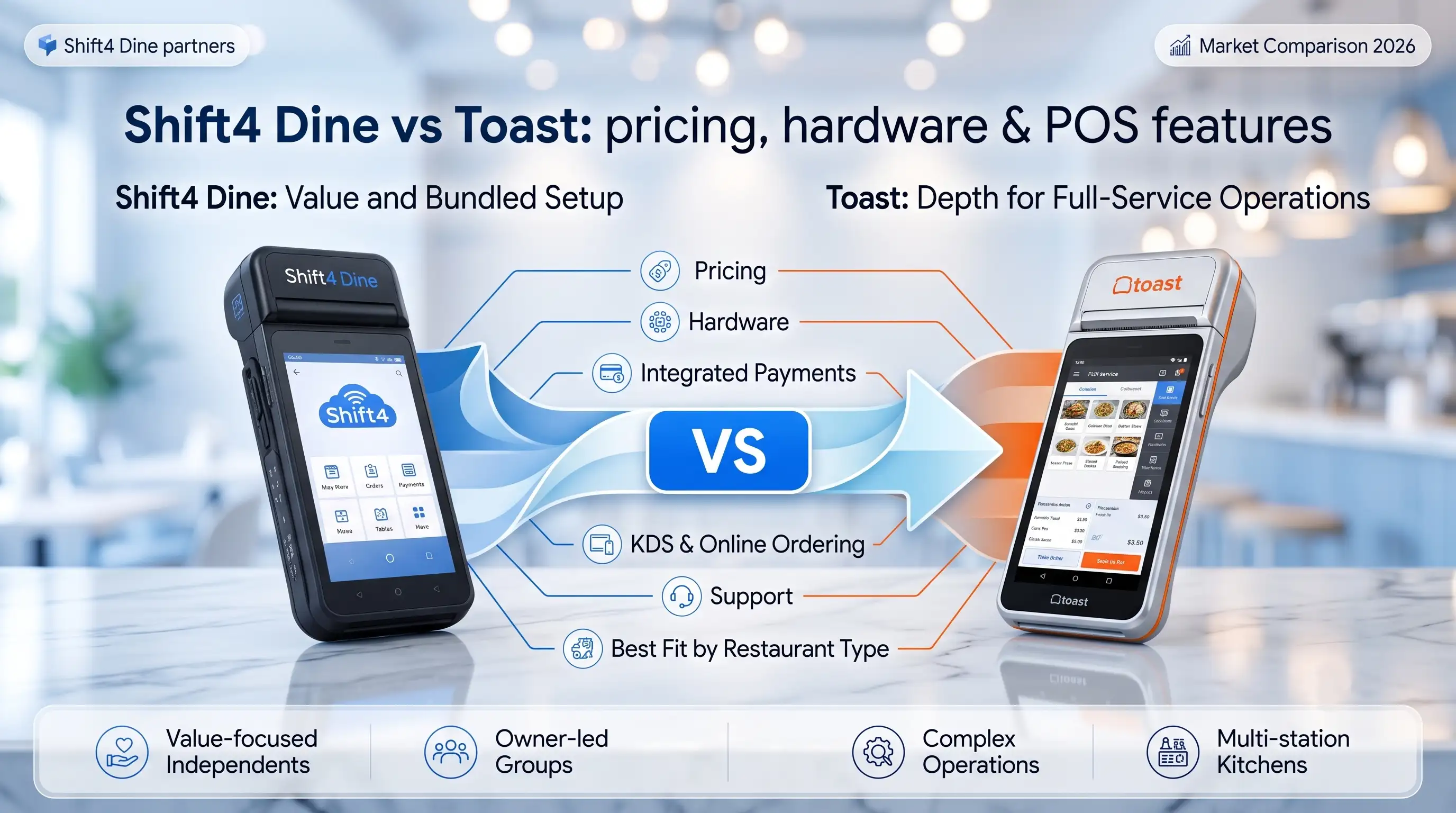
Shift4 Dine vs Toast: which restaurant POS fits your business?
TL;DR — The fast answer before you read further: Choose Shift4 Dine if you want bundled hardware, integrated payments, and



TL;DR — Key takeaways before you read:
If a restaurant is still simple, Square can be enough. Once service gets messier — modifiers, kitchen timing, split checks, multiple order channels, growing staff, or more than one location — the better question stops being “Which POS is cheaper?” and becomes “Which POS breaks less under restaurant pressure?”
“I’ve seen this decision go wrong when an owner compares the demo screen instead of the workflow. A basic POS can look clean at setup and still slow the floor down on a busy Friday night. The real test is order flow, menu logic, and what happens when the restaurant grows past one counter and one menu.” — Max Artemenko, POS Systems Expert & Product Architect, Shift4DinePartners.us
How this comparison was built: There is no independent 2024–2025 peer-reviewed benchmark that directly compares Shift4 Dine and Square for Restaurants across live restaurant environments with transparent methodology and quantitative results. Rather than pretend otherwise, we state it once here. This article is built on official product documentation from both vendors, direct implementation experience with Shift4 Dine (formerly SkyTab POS) in U.S. restaurant environments, and hands-on operator feedback gathered over years of real deployments. Where official figures are cited, they are drawn from vendor pricing pages current at time of publication — always verify directly with Shift4 Dine and Square for Restaurants before committing.
For restaurants, the short version is this: Square fits simpler service models, while Shift4 Dine fits restaurants that need real restaurant-grade workflow control. That does not make Square bad. It means the ceiling shows up faster once the operation gets more complex.
“Square is a great entry point, but the ceiling becomes obvious quickly once operations require deeper workflow control and layered decision logic.” — Max Artemenko, POS Systems Expert, Shift4DinePartners.us
The key difference is product philosophy. Square started from a broad small-business POS model with restaurant layers added on top. Shift4 Dine is positioned as a restaurant-grade POS tied closely to integrated payments and floor-level restaurant operations — rebuilt from Shift4 Dine POS, a platform designed specifically for hospitality environments. One product grew toward restaurants. The other was built for them from the start.
Based on direct implementation experience and official vendor documentation, here is how they compare in live environments:
Shift4 Dine vs Square for Restaurants: Feature Comparison
| Factor | Shift4 Dine | Square for Restaurants |
|---|---|---|
| Core positioning | Restaurant-grade POS for dining operations | Broad SMB POS with restaurant package |
| Integrated payments | Built tightly into Shift4 ecosystem | Built tightly into Square ecosystem |
| Best fit | QSR, pizza, cafes, bars, small restaurants growing into heavier workflow | Single-site, simpler service, lighter menu logic |
| Kitchen workflow | Better suited when ticket routing and service flow get more layered | Works for simpler order paths |
| Menu management | Better fit for larger modifier trees and operational logic | Easier early on, but can feel limiting as menus expand |
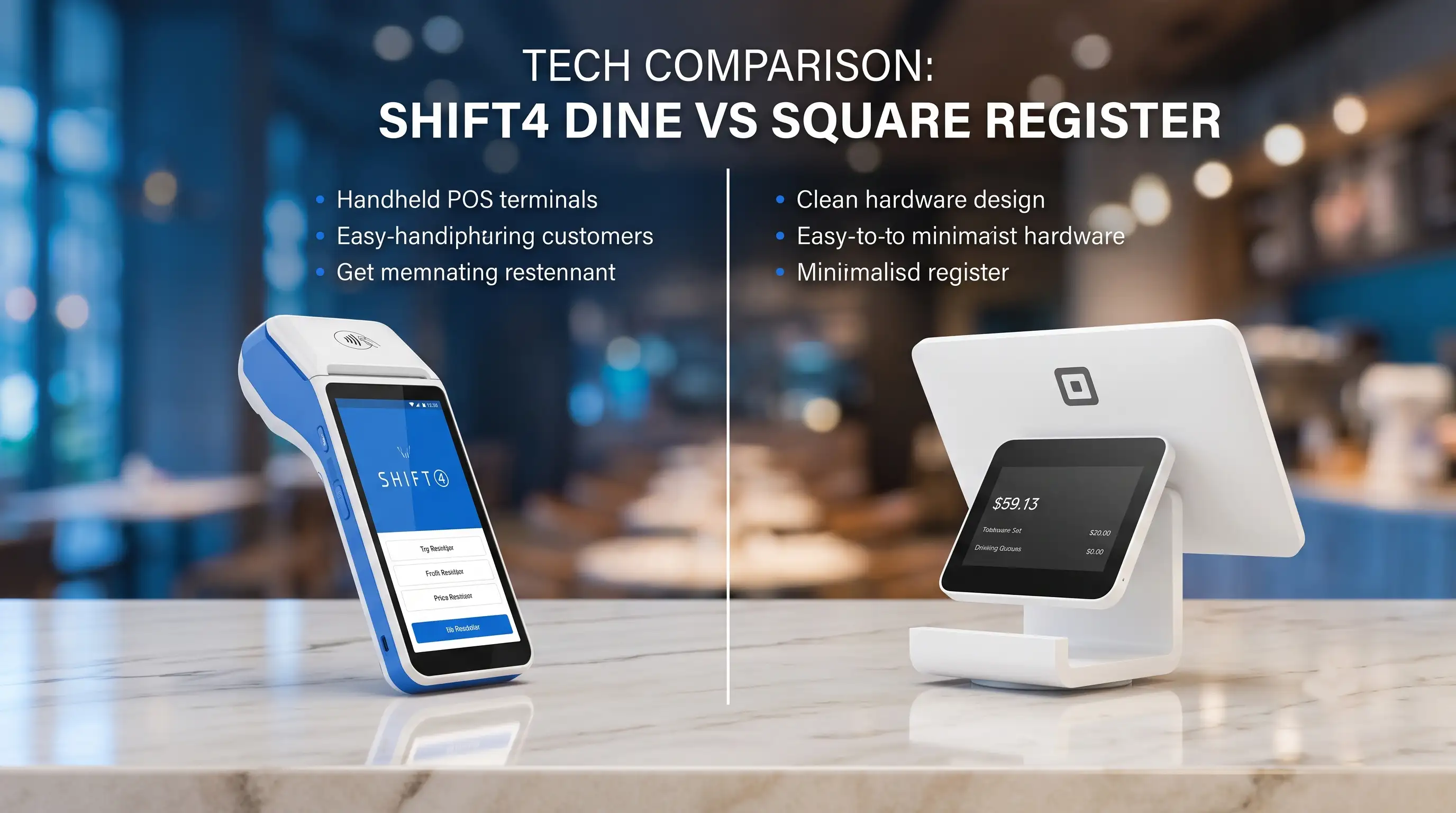
| Hardware approach | Restaurant-focused deployment: SkyTab POS workstations, SkyTab Mobile handhelds | Accessible hardware (Square Register, Square Terminal), but choices can feel narrower for busy restaurant floors |
| Multi-location reporting | Better fit when ownership needs more control across units | Fine for simpler groups, less ideal when oversight gets more operational |
| Support model | Often chosen by operators who want implementation help and live guidance | More self-serve friendly for smaller operators |
| Comparison Vector | Shift4 Dine (Formerly SkyTab) | Square for Restaurants |
|---|---|---|
| Restaurant-Grade POS | Commercial hybrid platform designed for high-volume full-service and quick-service environments. | App-based ecosystem optimized for fast deployment, cafes, and independent startups. |
| Integrated Payments | Mandatory internal processing with competitive, negotiable rates; requires a long-term contract. | Mandatory internal processing with a clear flat-rate structure and zero contract lock-in. |
| Hardware Limitations | Locked into proprietary commercial hardware; equipment is bundled into the subscription at low upfront costs. | Highly flexible; runs smoothly on standard iPads, mobile Square Terminals, or Square Register hardware. |
| Kitchen Workflow | Deep native kitchen routing, impact matrix printing, and heavy-duty interactive KDS options. | Highly visual KDS screen app; complex multi-station ticket routing requires a paid subscription upgrade. |
| Multi-Location Reporting | Enterprise-grade central hub providing advanced multi-unit filtering, location grouping, and global metrics. | Centralized dashboard available out of the box; advanced multi-location reporting requires premium add-ons. |
| Menu Management | Global menu master-sync configuration built for chains, allowing centralized rollouts with local overrides. | Highly intuitive, visual cloud editor built for rapid manual changes; lacks complex global inheritance matrices. |
| Customer Support | 24/7/365 live phone support backed by a local physical on-site merchant technician network. | Robust self-service knowledge base and community forums; 24/7 phone support is limited to paid plans. |
A practical rule: if the restaurant owner still thinks in terms of “taking payments,” Square may be enough. If the owner now thinks in terms of “managing order flow,” “reducing ticket mistakes,” and “controlling multiple service modes,” the comparison starts leaning toward Shift4 Dine.
In one migration project, a small counter-service concept had outgrown a simple checkout mindset. The pain was not card acceptance. The pain was menu sprawl, staff workarounds, and kitchen confusion during rushes. We rebuilt the menu logic and routing in Shift4 Dine — fewer manual corrections, faster staff confidence during peak hours. That is usually the real trigger for switching.
Shift4 Dine is best for restaurants that have already outgrown “simple POS” behavior. That usually means cafes with heavy modifier use, QSRs with multiple order channels, pizza shops with timing-sensitive production, and small restaurant groups that need cleaner control across locations.
This is where Square POS alternative for restaurants becomes a real search, not a curiosity. If the restaurant needs a more restaurant-grade POS because service has become operationally dense, Shift4 Dine usually makes more sense. In my experience, the systems that work fine at one register and one menu often start to crack once the business adds third-party delivery, family-style split checks, lunch/dinner menu shifts, kitchen printers or displays, and manager-level reporting needs. Each addition feels small. Together, they break a simple POS.
A common scenario: a growing QSR starts on Square because setup is quick. Then online orders, in-store orders, and pickup timing all collide. Staff begin using verbal workarounds because the POS flow is no longer keeping the line clean. The owner blames staff training. The deeper issue is that the restaurant has moved from “basic POS” needs to “restaurant workflow” needs — a critical distinction that affects every table, every ticket, every rush.
“The moment a restaurant starts inventing manual workarounds, the POS is already costing time. Not always in software fees. In errors, delays, and manager attention.” — Max Artemenko
For growing teams, Shift4 Dine also tends to fit better when access roles, reporting views, and menu consistency need more structure. That matters for franchises and local groups. A restaurant-grade POS is not just about more features — it is about fewer operational hacks. For restaurants with complex table service POS requirements — full-service floor management, seat assignments, course timing — Shift4 Dine is consistently the stronger platform.
Square is best for restaurants that still value simplicity more than workflow depth. That includes newer cafes, limited-menu counters, food businesses with one location, and operators who want fast setup with less configuration overhead.
That is not a backhanded compliment. Simplicity is a real advantage when the operation is simple. Square can be a practical fit when the menu is short, the service path is direct, and the owner does not need sophisticated kitchen workflow or multi-location reporting. The friction starts when the business grows faster than the POS model.
The fair statement is narrower: Square often works well until restaurant complexity rises. I have seen this in smaller cafes with one register and straightforward orders. The launch is fast. Staff learn it quickly. Reporting is understandable. Good fit. But if that same café adds breakfast modifiers, lunch combos, online pickup windows, and frequent split payments, the same simplicity that helped at launch becomes a ceiling later.
If the restaurant still runs like a retail checkout with food attached, Square can remain fine. If it now runs like a real production environment, it may not.
The real cost difference is usually not the headline software fee. It is the combined effect of integrated payments, workflow fit, add-ons, and staff time lost to friction. That is why two restaurants can pay similar visible POS costs and still have a very different total operating cost.
Rather than compare only monthly fees, ask four better questions:
What actual pricing looks like:
A word on payout speed. For restaurant owners managing weekly payroll, cash flow matters. Square offers next-business-day deposits by default, with instant transfers available for an additional 1.75% fee. Shift4 processes payouts through its integrated ecosystem — confirm your specific payout schedule directly with your Shift4 representative, as timelines can vary based on account setup and processing volume. Cash flow gaps are rarely discussed in POS comparison articles but are felt immediately when the payroll cycle hits.
Fees eat margin. That is the part most comparison articles skip.
Shift4 Dine vs Square: Cost Structure Comparison
| Cost layer | Shift4 Dine | Square for Restaurants |
|---|---|---|
| POS software | Custom quote; often bundled with processing | Free plan available; Plus plan ~$60/mo/location |
| Integrated payments | Shift4 ecosystem; negotiable at volume | 2.6% + 10¢ in-person (standard) |
| Hardware spend | Varies by deployment; SkyTab workstations + mobile handhelds | Square Register, Square Terminal; BYOD iPad options available |
| Menu/setup labor | Higher upfront if building more restaurant logic | Often lower at the start |
| Workflow inefficiency cost | Lower if setup matches restaurant complexity | Can rise as operation outgrows simple flow |
| Multi-location admin cost | Better suited for structured growth | Can stay manageable for lighter groups |
| Switching cost later | Lower if chosen at growth stage | Can rise if migration is delayed too long |
| Cost Category | Upfront / SaaS Model | Processing & Hidden Drag | Long-Term Risk / Value |
|---|---|---|---|
| Platform Software (SaaS) | Low-cost fixed subscriptions or basic free tiers ($0 to $149/mo) target initial entry barriers. | Advanced modules (KDS routing, inventory, multi-unit syncing) frequently require per-device or per-location add-on upgrades. | Predictable monthly overhead, but costs scale quickly if the platform charges licensing fees for every additional employee terminal. |
| Integrated Payment Processing | Flat-rate models charge an easily calculated percentage (e.g., 2.6% + $0.15) with zero setup friction. | Card-not-present invoices, online ordering apps, and foreign transactions often carry steep unadvertised tier increases (up to 3.5%). | High-volume venues suffer a continuous margin drag under flat-rates, whereas custom volume quotes protect profitability over time. |
| Hardware Procurement | Promotional hardware offers bundle equipment at $0 upfront to drastically minimize initial deployment capital. | Proprietary constraints prevent repurposing standard commercial tablets, locking operations into specialized merchant screens. | Consumer hardware setups offer flexible configurations but face shorter operating lifespans compared to enterprise terminals. |
| Installation & Configuration | Self-guided remote onboarding avoids premium upfront engineering fees, allowing instant setup for basic concepts. | Complex networking layout, custom menu matrices, and physical station grounding require paid technician support. | Poor initial network layout results in dropped station tickets and delayed orders during peak service hours. |
| Operational Inefficiencies | A clean, intuitive app interface drops training times down to minutes for incoming seasonal staff. | Fragmented third-party software plug-ins add multi-tier subscription costs and create sync latency between systems. | System delays and manual menu re-entry slow down table turnover, introducing ongoing hidden cost leaks. |
| Platform Switching Costs | No-contract platforms allow instant monthly cancellation without immediate administrative financial penalties. | Early Termination Fees (ETFs) within multi-year locked service agreements can levy massive contract payout penalties. | Migrating historical transaction sheets, customer databases, and training menus consumes significant operational hours. |
A lot of owners miss the last two rows. That is where Shift4 POS vs Square becomes less about sticker price and more about the cost of staying on the wrong system for one extra year.
In one café-to-QSR transition, the owner focused on software fees first. After the menu expanded and order channels multiplied, supervisors were spending part of every rush correcting order paths and explaining exceptions to staff. We moved the restaurant to a more restaurant-grade setup, and the financial win came less from one visible fee change than from reducing repeated floor friction. That kind of cost rarely appears on a sales sheet.
“I’m a business owner who worked with Max on credit card machine needs. He responds quickly because he understands the importance of keeping businesses running efficiently. Any time I’ve had an issue, Max resolved problems quickly.” — Client review, Smart Payment Solutions
Thinking about scaling to multiple locations or managing enterprise-level reporting? Learn how an Enterprise POS System helps manage multi-unit operations without reporting chaos — and request a free audit of your current processing rates.
Expert tip: ask both vendors to map your exact service model, not just quote a package. Include dine-in, takeout, online ordering, split checks, tip flow, kitchen routing, and manager reporting. A cheaper quote can become the more expensive system if it pushes complexity back onto staff. For a deeper breakdown of fees and what operators often miss, see this guide to hidden costs with Shift4 Dine POS.
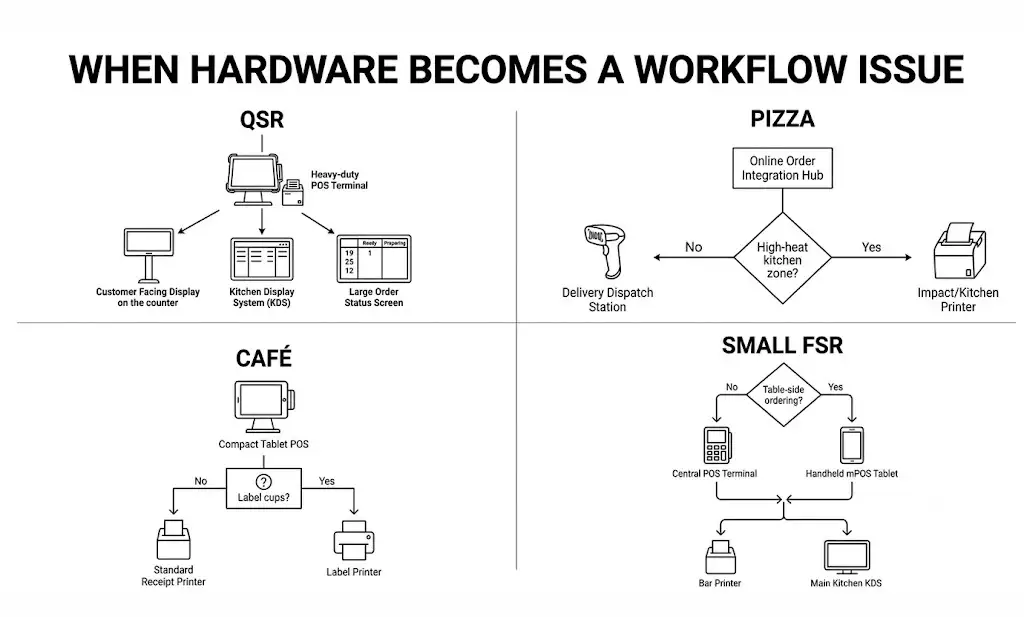
For front-of-house use, the winner depends less on the screen and more on how the hardware supports restaurant behavior under pressure. In simpler environments, Square can feel quick and accessible. In busier restaurant environments, Shift4 Dine usually makes more sense because the hardware conversation is tied more tightly to service workflow.
From implementation experience, restaurant owners should judge front-of-house hardware by five criteria:
A POS can be fast in a demo and awkward at the counter. That gap matters — and it shows up on a Friday night, not during onboarding.
In one pizza shop project, the issue was not the terminal itself. The issue was how staff moved between order entry, modifiers, payment, and fulfillment notes during rush periods. We simplified button paths and station logic in a restaurant-focused setup. Ticket accuracy improved because the hardware and UI were supporting the service pattern instead of fighting it.
Hardware limitations matter most when the restaurant needs to scale service patterns, not when it only needs to process transactions. This is where many operators start looking for a Square restaurant POS alternative.
Square’s hardware lineup includes the Square Register (a dedicated countertop system with a customer-facing display), the Square Terminal (a portable all-in-one payment device), and iPad-based setups. Square supports BYOD (bring your own device) configurations with compatible iPad models, which keeps entry costs low. A basic Square setup for one station — Terminal plus accessories — can run from roughly $299 to $700+ depending on configuration.
Shift4 Dine deploys SkyTab POS workstations designed for high-grease, high-heat environments, and SkyTab Mobile handhelds for tableside ordering and payment. The SkyTab Mobile is a purpose-built restaurant device — not a repurposed tablet — with a built-in printer and 4G connectivity. This matters in restaurants where WiFi is unreliable or where servers need to take orders and close checks without returning to a fixed terminal. For a direct device-level comparison, see SkyTab Mobile vs. Square Terminal.
The honest framework is operational:
Restaurants do not buy tablets. They buy speed, cleaner order entry, fewer mistakes, and less staff hesitation under pressure.
This is usually the deciding section. If a restaurant has outgrown Square, it usually feels it first in kitchen workflow and menu management. Payments may still work fine. The kitchen does not.
That said, this is where SkyTab vs Square used to come up most often before the rebrand to Shift4 Dine. In practice, the same core question remains under the current name: can the system handle restaurant order logic without forcing staff to improvise?
Shift4 Dine is generally the better fit when order flow has multiple decision points between the register and the kitchen — based on both official vendor documentation and direct deployment experience across QSR, pizza, and fast-casual formats. Square can be enough when the path is simple and repeatable.
“Front counter to kitchen” is not one action. It is a chain: order entry, modifiers, timing, routing, prep visibility, fulfillment, and handoff. A system can handle payments cleanly and still create kitchen noise.
A common failure pattern: the cashier enters orders quickly, but modifiers are inconsistent. Tickets arrive in the kitchen with mixed structure. Staff ask verbal clarifications during rushes. The line slows. Nobody calls it a POS problem at first — they call it a communication problem. Usually, it is both.
In one fast-casual project, tickets were technically getting through, but not getting through cleanly. We rebuilt the menu structure and routing logic so staff were guided into fewer ambiguous choices at the counter. The result was calmer production and fewer remakes. That is what a restaurant-grade POS is supposed to do.
“A POS should reduce decision noise. If kitchen staff still need constant verbal translation from the counter, the workflow is underbuilt.” — Max Artemenko
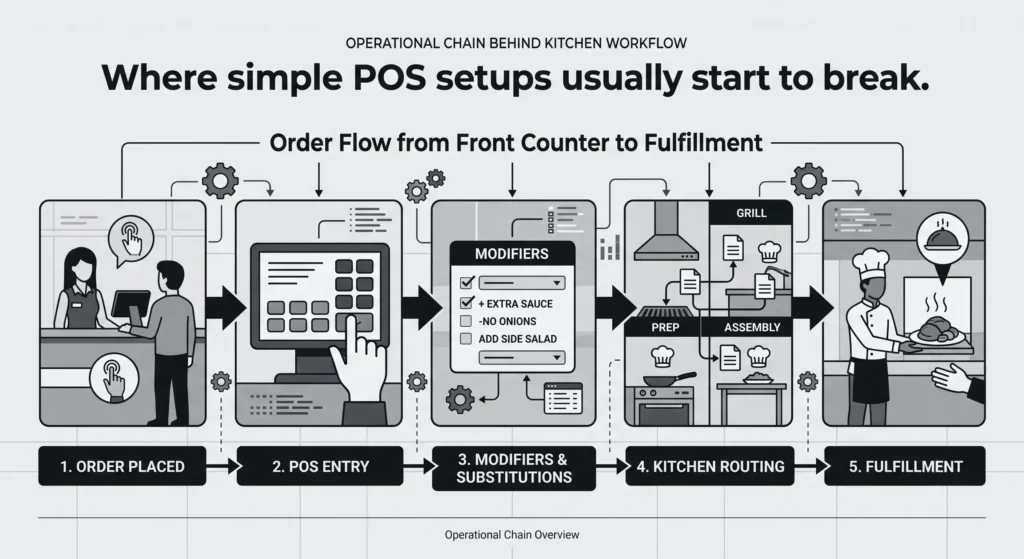
Shift4 Dine usually fits better when one restaurant is really running several service formats at once. Square is easier when the menu logic is narrower.
This comes up constantly in cafes, QSRs, and pizza shops. One menu becomes several practical menus: dine-in, takeout, lunch, dinner, online, delivery, combo sets, kids’ options, seasonal items, location-specific pricing, or different modifier depth by channel. The bigger the mismatch between menu reality and POS structure, the more staff compensate manually.
The correct claim is narrower and more useful: for restaurants with layered menu logic, a restaurant-grade POS usually beats a simpler POS design. I have seen operators delay this decision because the menu “still kind of works.” Once the menu kind of works, the staff usually kind of guesses. Refunds, voids, and ticket fixes follow.
A small restaurant group I worked with had one base concept but different service patterns by location. We restructured the menu logic around how staff actually sold items, not how the menu PDF looked. After rollout, restaurant POS staff training time dropped because new staff were learning a cleaner path. That is often a stronger operational win than any software feature list.
Multi-location menu management also benefits from features like mass price updates across all locations, unified guest profiles, and template-based staff permission structures — all of which reduce the administrative overhead that grows quickly when a group scales from two to five units. That overhead is invisible on a demo. It is very visible on a Tuesday when someone updates the wrong menu at the wrong location.
If the restaurant is growing, reporting control and support quality matter as much as order entry. A POS that is “good enough” at the counter can still become weak at the ownership layer.
For primary-source review, check the official product information directly:
Additional context on the legacy SkyTab name appears in public review pages including Trustpilot reviews for SkyTab, Software Advice’s SkyTab POS profile, and The Real Barman’s SkyTab review. These are operator experience sources, not controlled benchmarks, and are treated accordingly.
For growing groups, Shift4 Dine is usually the safer fit because reporting needs become operational, not just financial. Owners do not only want sales totals. They want cleaner control across stores, menus, staff behavior, and service consistency.
A single-site operator can live with lighter reporting for a long time. A two-location or three-location group usually cannot. That is where multi-location reporting becomes less about dashboard aesthetics and more about management speed. If every comparison takes manual cleanup, the reporting layer is already too light.
Key operational questions to test with real data before committing:
Can managers compare location performance without exporting into side spreadsheets?
Can ownership review menu behavior by store in a usable format?
Can access rights be separated cleanly by role and location?
Can exceptions be spotted fast enough to matter the same day?
In one two-unit restaurant rollout, the owner had decent payment visibility but weak operational visibility. We rebuilt the reporting structure around what managers actually checked every day. The result was not more reports — it was fewer blind spots. The difference between a POS that records sales and a POS that helps run stores.
“SkyTab POS has been a heaven sent system for us. The system itself is so user friendly and their staff, Maxim and Julian, made the conversion so seamless. They have 24-hour customer service so you have access to getting any issues resolved at any time of the day 7 days a week.” — Verified client review, SkyTab POS / Shift4 Dine implementation
Support matters most when the restaurant is open and losing time. That is the moment when self-serve convenience stops being enough.
“In the restaurant business, support matters exactly when something breaks. When printers go silent during a rush, you need a live expert — not a knowledge base.” — Max Artemenko, Shift4DinePartners.us
Official support pages show categories and contact routes. What owners care about is simpler: when printers fail, devices disconnect, staff are blocked, or a rollout goes sideways — who responds, and how fast does the restaurant get back to normal?
Square offers support via phone, chat, and email, with live phone support available Monday through Friday during business hours for most plans. After-hours support is primarily self-serve through Square’s help center and community forums.
Shift4 Dine provides 24/7 live support access — phone-first, with dedicated technical support that extends through evenings and weekends. For operators deployed through hands-on partners, this extends to direct implementation help, onsite training, and account-level responsiveness that goes beyond standard vendor support.
In projects where the restaurant wants more guided onboarding, more direct configuration help, and less “figure it out from the dashboard,” Shift4 Dine often fits better. In simpler environments where the operator is comfortable with a more self-directed support path, Square may still be enough.
“My task is to ensure a seamless transition so that staff understand every button and the owner doesn’t lose revenue due to technical pauses.” — Max Artemenko, Case Study #16: Shift4 Dine Implementation
The pattern I see most often: the owner waits too long to switch because the current POS is still functioning. Then the migration happens only after support frustration, staff workarounds, and reporting gaps have piled up. That makes the transition harder than it needed to be — and more expensive. Having a partner who responds on weekends and resolves chargebacks the same day is not a luxury. It is operational infrastructure.
“He is always available when I need him and he is always getting us the best rates!” — Business owner managing two locations, Smart Payment Solutions client review
“Max demonstrated strong technical knowledge, which greatly contributed to the successful transition to Shift4. His responsiveness and willingness to address concerns helped ensure a smooth transition for us.” — Client review, Case #16, Shift4 Dine deployment
Square is still a valid choice for simple restaurants. Shift4 Dine becomes the better choice when the restaurant needs a real restaurant workflow, not just a checkout system.
If the operation is still straightforward — short menu, one location, light modifier use, simple counter service — Square can be practical and efficient. If the business is becoming more operationally dense — multiple channels, kitchen routing, menu complexity, split checks, reporting needs, staff controls, or expansion plans — Shift4 Dine is usually the stronger Square POS alternative for restaurants.
One important clarification for search: Shift4 Dine, formerly SkyTab POS, is the current brand in newer materials. If older searches or articles mention SkyTab vs Square, they are pointing to the same product lineage, not a separate unrelated platform. The core technology, support infrastructure, and restaurant-grade positioning are continuous across both names.
A practical selection checklist:
If the restaurant has outgrown “simple,” that feeling is usually correct. Trust it earlier than you think you need to.
Disclaimer: The information in this article is general in nature and does not substitute for a professional consultation. The choice of a POS system should be based on an individual audit of your specific business — service format, volume, staffing, and growth plan. Pricing figures referenced are based on publicly available vendor information at time of writing; verify current rates directly with Square and Shift4 before making any financial commitments.
Yes. SkyTab POS was rebranded and integrated into the broader Shift4 Dine ecosystem. The underlying technology, support infrastructure, and restaurant-grade feature set are the same product line under a new name.
Yes, Square supports multi-location management. However, as menu complexity and operational oversight needs grow, many operators find Shift4 Dine’s backend reporting and role-based access controls more practical for managing multiple units consistently.
Square defaults to next-business-day deposits at no extra charge.
Same-day or instant transfers are available for an additional 1.75% fee per
transfer. Weekend transactions are typically deposited the following business day.
Shift4 Dine deployments typically use purpose-built hardware — SkyTab POS workstations and SkyTab Mobile handhelds — rather than BYOD configurations. Square is more flexible on this front, supporting iPad-based setups. The trade-off is that purpose-built restaurant hardware is designed for the physical demands of a kitchen environment: heat, grease, drop resistance, and 4G connectivity for tableside use.
Square for Restaurants includes an offline mode that allows the system to continue processing transactions locally and sync when connectivity is restored. Shift4 Dine’s SkyTab Mobile includes built-in 4G cellular connectivity as a backup, which is particularly valuable in environments where WiFi reliability is inconsistent.
There is no universal threshold, but a few signals tend to cluster together: staff are inventing verbal workarounds during rushes, modifier errors are generating daily voids or remakes, managers are spending meaningful time each week reconciling reports manually, or the restaurant has added a second location and reporting feels like guesswork. When two or more of those are true at the same time, the cost of staying on a simpler system usually exceeds the cost of switching — even accounting for migration time and retraining.
TL;DR — The fast answer before you read further: Choose Shift4 Dine if you want bundled hardware, integrated payments, and
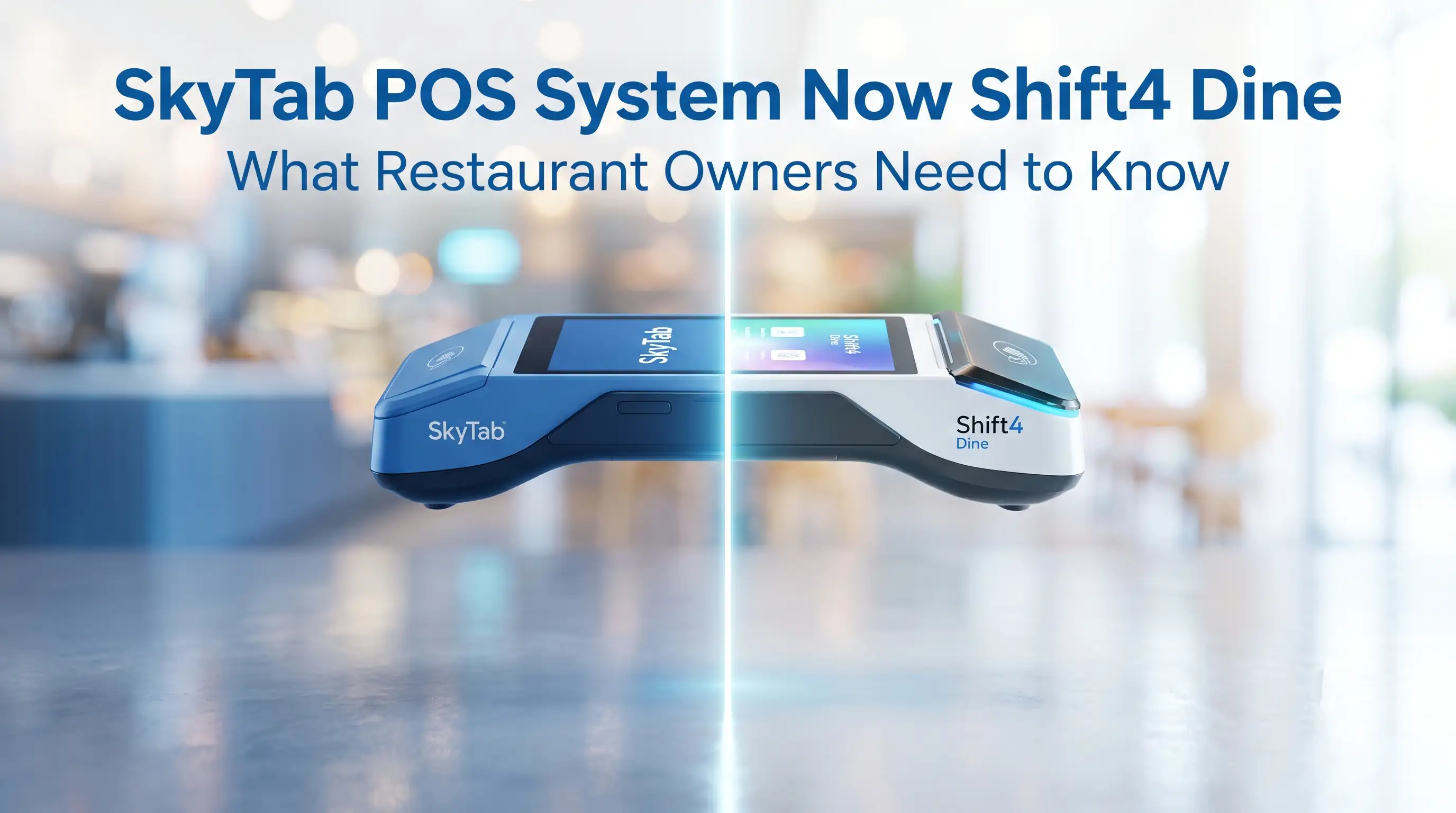
TL;DR: Shift4 Dine POS System (formerly SkyTab POS) is now officially presented as Shift4 Dine — same platform, same hardware, same 24/7 US-based support,



|
Other | Other | Other | |
|---|---|---|---|---|
| Upfront Hardware & Software | $0.00 | $5,750.00 | $3,358.00 | $3,798.00 |
| Installation + Menu Entry | $0.00 | $999.00 | Not offered | Not offered |
| Monthly Support* | $79.98 | $240.00 | $200.00 | $249.00 |
| Total 1st Year Cost | $959.76 | $9,629.00 | $5,758.00 | $6,786.00 |
| Total 3rd Year Cost | $2,879.28 | $15,386.00 | $10,558.00 | $12,762.00 |