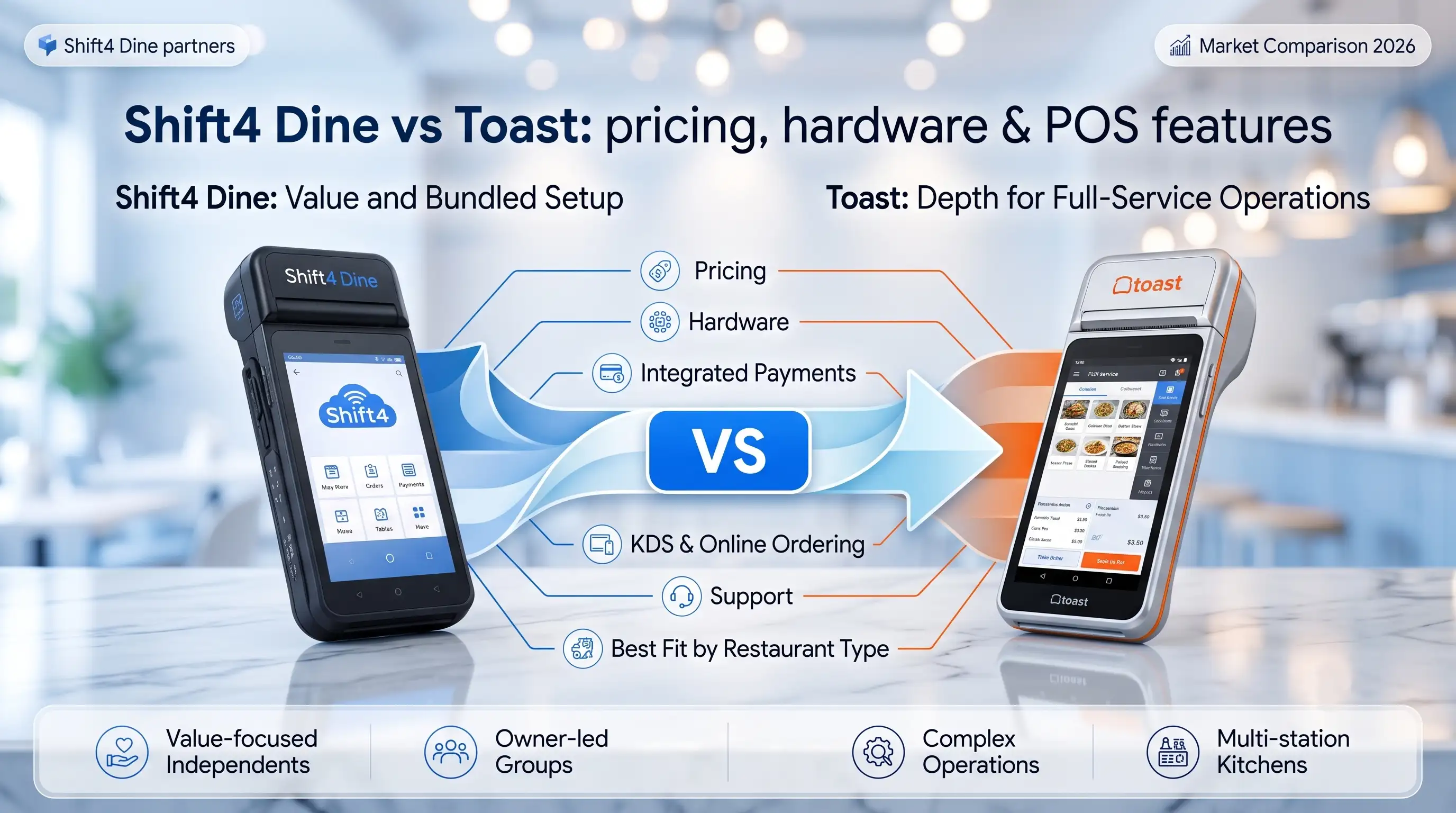
Shift4 Dine vs Toast: which restaurant POS fits your business?
TL;DR — The fast answer before you read further: Choose Shift4 Dine if you want bundled hardware, integrated payments, and




About the author: Max Artemenko is a U.S. restaurant POS and payments specialist with 12+ years in payment technology, migrations, outage handling, menu and payment workflow setup, and Shift4 Dine implementations for restaurants, bars, and multi-unit operations.
TL;DR — What to do right now if your terminal is down:
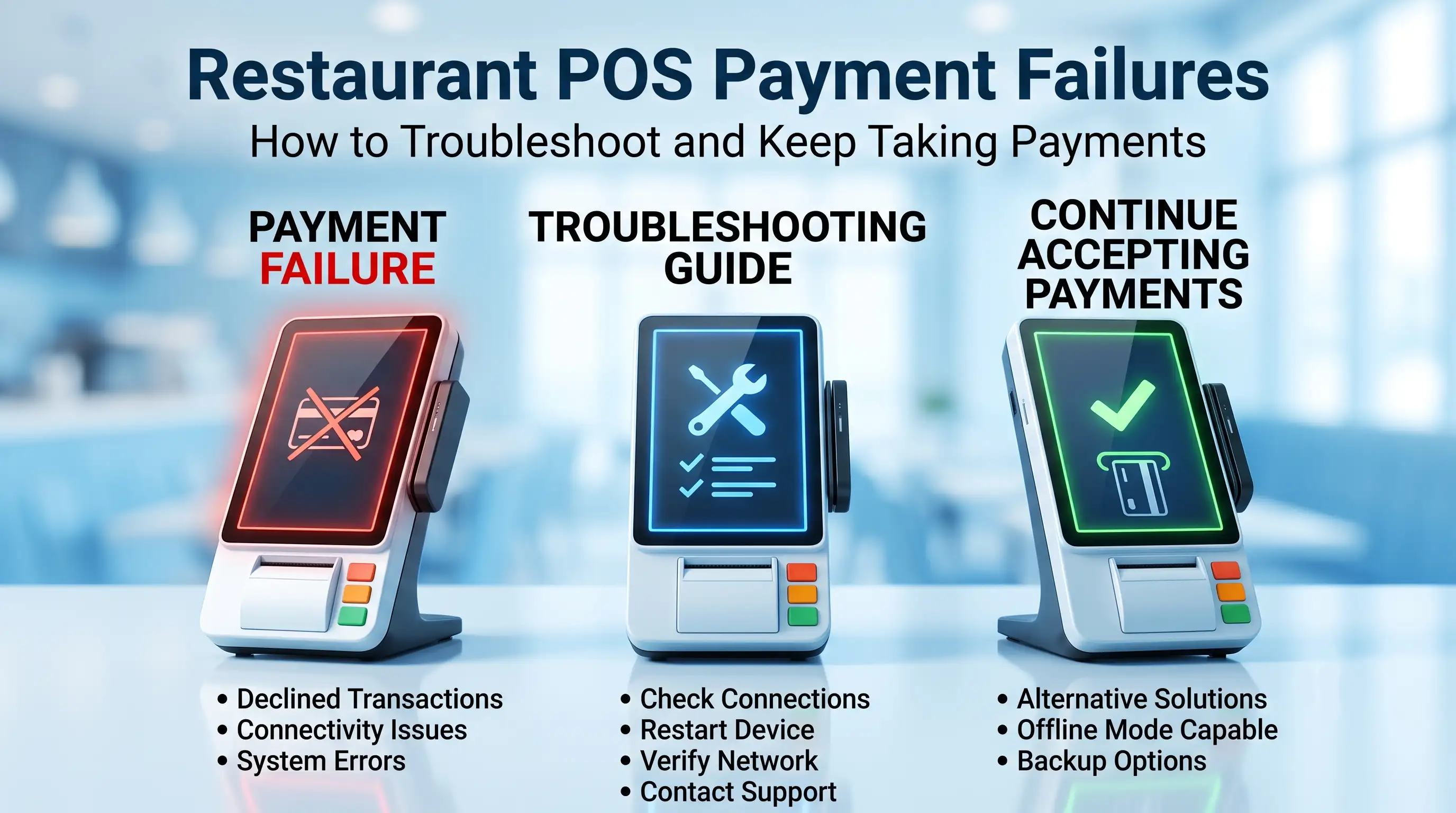
A restaurant POS payment failure is usually one of two things: the card was actually declined by the issuer, or the payment never finished processing because the terminal, network, or processor handshake broke first. That difference matters. The wrong retry can turn one failed check into a duplicate transaction, a guest dispute, and a messy end-of-day reconciliation.
“In restaurant payments, the expensive mistake is not the first failure. It’s the blind second attempt. Most losses I see come from teams retrying before they confirm what happened to the first authorization.” — Max Artemenko, POS Systems Expert & Product Architect, Shift4 Dine Partners
This guide relies on author implementation experience, vendor-facing operational practice, and primary technical standards including PCI DSS v4.0 and payment network guidance from Visa Core Rules and Mastercard Payment Rules. Current industry data does not include a published 2025–2026 benchmark study specifically on restaurant POS payment failure rates by category — so percentage claims you may see elsewhere are not sourced from verified data. What you will find here is field-tested operational logic that works on a busy Friday night.
If you knew this product under the old name, keep the rebrand in mind: Shift4 Dine, formerly SkyTab POS.
Restaurant POS payment failures usually show up as one of three patterns: a clear decline, a processing stall, or a wider outage affecting multiple devices. The first job is not to guess. The first job is to classify the symptom fast enough to protect the current order.
In live restaurant operations, the wording on screen often drives bad decisions. Staff sees failed, assumes the bank rejected the card, and asks for another tap. But payment standards do not require terminals to explain the full reason in a staff-friendly way — official payment standards such as ISO 8583 define response structures without guaranteeing a clean front-end message for the floor team. That is why managers need a simple operations rule: bank decline and POS not processing are different incidents, even if the screen language is sloppy.
From my experience in Shift4 Dine rollouts, the practical symptom set is usually consistent:
A small bar project I worked on had repeated “payment failed” prompts on a Friday rush. The team started re-running cards. We paused retries, checked the processor status trail, and found two authorizations had already been sent before the terminal timed out. Result: two saved guest relationships, no duplicate refund scramble, and a cleaner shift close.
A declined payment means the transaction reached the processor or issuer and came back rejected. A payment not processing event means the authorization flow likely did not complete cleanly, or the terminal never got a usable response.
That is the core distinction.
A declined payment often appears as “Payment Declined” or “Transaction Failed” with a bank-related response code, while a not-processing event often shows “No Response”, “Communication Error”, or a delay beyond normal response time without a clear bank code. This aligns with ISO 8583 message logic and vendor support patterns from NCR Support and related POS documentation.
What this means on the floor:
| Symptom | More likely issue | What it usually means operationally |
|---|---|---|
| Clear decline message with issuer/code | Declined payment | Card/issuer decision, not usually a terminal outage |
| Spinner, timeout, no response | POS payment not processing | Network, processor path, or terminal communication issue |
| Transaction failed after long delay | Ambiguous, needs status check | Could already be in-flight |
| Same card works on another device | Local terminal issue | Reader, cable, device, or app session |
One important caution: payment standards do not force vendors to present the distinction in the same way across all terminals. So the safe operating rule is this: if there is no clean decline code, treat the payment as unresolved until status is verified. Learn more about why restaurants need an offline mode to handle situations where that status check cannot happen in real time.
A local problem usually affects one terminal, one reader, or one lane. A system-wide problem affects multiple payment points, often at the same time.
That sounds obvious. In practice, it saves a lot of wasted motion.
Use three fast checks:
Local failure is usually isolated to one device while a broader outage affects all terminals and often the back-office or server view as well.
In one QSR deployment, one handheld kept dropping card-present payments while fixed terminals stayed up. The cause was not the processor. It was a failing dock connection on that one handheld and intermittent local connectivity. We swapped the unit, moved traffic to other devices, and the line kept moving.
“Max demonstrated strong technical knowledge, which greatly contributed to the successful transition to the new Shift4 system. His responsiveness and willingness to address concerns helped ensure a smooth transition for us.” — Client review, Case #16
Declined payments
Payments that reached the processor or issuer and were rejected, often with a
response code or decline message.
Offline authorization
A fallback payment workflow where the POS stores the transaction locally
for later submission when live authorization is unavailable. Approval is not guaranteed at the moment of sale.
Batch sync
The later transmission or synchronization of stored transactions and status updates
between the POS and the payment system after connectivity returns.
Duplicate transactions
Repeated charges or repeated authorization attempts created when staff
retries a payment before confirming the outcome of the first attempt.
Reconciliation
The process of matching POS tickets, payment records, offline entries, and
processor results after an outage or sync delay.
Charge risk
The financial risk that a delayed or offline-submitted payment will later be
declined, disputed, or become non-collectible.
Most restaurant POS payment failures come from connectivity problems, sync delays, or card-present device issues. The useful approach here is operational, not statistical — because the failures that matter most are the ones that stop guest checkout in the moment.
An internet outage can block live card authorization immediately. It can also create a partial failure where orders keep moving inside the POS, but payments stop reaching the processor reliably.
That second scenario is where teams get confused.
Direct authorization depends on a working path to the payment processor. If the internet path is down, the POS may return “Network Unavailable”, timeout, or another communication error. In a full outage, no transactions can be sent out. In a partial outage, local functions may still work while DNS, processor routing, or one network segment fails.
That is why the floor can look half-normal while the money side is breaking.
Practical signs of connectivity-related restaurant credit card payment issues:
From my field experience, partial outages are more dangerous than full outages because staff assumes the system is “mostly fine.” It isn’t. Review the network requirements for your POS system before your next outage, not during it.
Many POS vendors sell a “seamless offline mode.” In practice, when the Wi-Fi drops, the experience is often very different from the pitch. Here is what actually happens:
A real offline mode means the system keeps running entirely on the local device. Orders, tables, printed tickets, and generated checks are all stored locally. When connectivity returns, everything syncs in the background automatically — no data loss, no duplicates, nothing requiring manual intervention.
For a restaurant, this is not a nice-to-have. Your internet will go down. The question is not if, it is when. And when it does, the system needs to keep working. True offline functionality stores encrypted card data locally and syncs without creating duplicate tickets.
Some payment failures are not true declines and not true hardware faults. They are sync problems.
A transaction can be accepted locally or sent upstream, but the POS and the final payment status do not line up yet. This happens because of asynchronous processing windows, timeouts, and interrupted batch sync behavior. The POS sends the request, then loses the response path before it gets a success message back. On screen, staff sees an error. In the processor, the transaction may already exist.
That creates the classic restaurant headache:
Yes, this is where duplicate transactions start.
A multi-location casual dining client hit this after a short provider outage. Several checks showed unresolved payment states. We did not let staff rerun them. We exported the affected checks, matched timestamps and transaction IDs, and waited for the sync queue to settle. Result: fewer reversals, less manual refund work, and a shorter reconciliation cycle than if the team had retried blindly.
Card-present issues are still common, and they are often more local and fixable than network problems. If one terminal reads chips poorly while others work, start with the device.
Common errors include:
On site, the first safe fixes are basic:
Do not let “card-present error” become a catch-all excuse. If several cards fail on one device, it is likely local hardware. If several devices fail on several cards, it is bigger than the reader. Find reliable POS hardware that is built for restaurant environments before a single failing reader becomes a service-stopping problem.
When a POS payment is not processing, the first priority is to freeze the mistake cycle. Do not keep tapping, dipping, or re-running a card until the current transaction status is checked.
That alone prevents a lot of duplicate charges.
There is no formal regulator-issued restaurant troubleshooting algorithm for floor staff — these procedures live in vendor manuals and operational playbooks. What follows is the field-tested triage order used in Shift4 Dine environments and similar restaurant setups.
“I understand the importance of keeping businesses running efficiently. Any time there’s a terminal issue, I respond quickly because a problem at the POS is a problem for the guest standing right there.” — Max Artemenko (Source: Case #8)
Treat the current payment as unresolved until proven otherwise. The safest move is a status check, not a new charge attempt.
The logic here follows PCI DSS v4.0 and EMVCo guidance on using a status request or transaction identifier before retrying. The payment may already be pending upstream even if the terminal showed an error.
Use this fast sequence:
Short version: no clean decline, no blind retry.
A bar-and-grill team once had one guest tap three times because the handheld lagged. We pulled the check, found the first attempt was still pending, and blocked another try. Two attempts later resolved as duplicates. Because we caught it early, the team explained it before the guest saw a statement issue. That matters.
What to say to the guest while you check: “We want to make sure your payment went through correctly before we do anything else — it should just take a moment.” That one sentence keeps 90% of guests calm while you verify status.
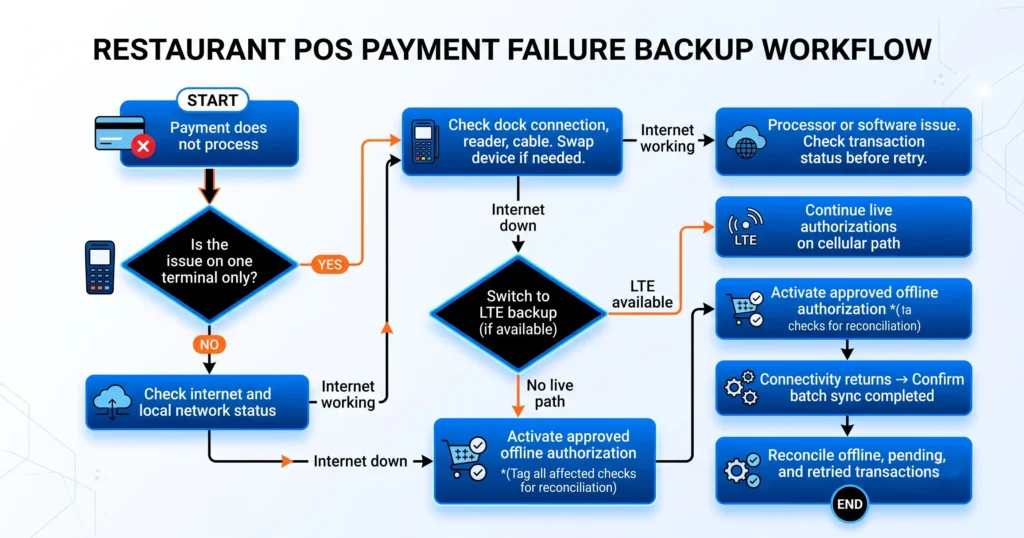
You should switch to backup processing when the issue is repeating, affecting service speed, and showing no quick recovery path. PCI DSS, NIST, and ISO standards require resilience planning but do not give a universal minute-based trigger. So the decision has to be operational.
My rule in restaurant settings is simple:
That is not marketing. It is floor management.
Offline payments in a restaurant POS are a fallback, not magic. They let the system capture transaction data locally and submit it later, but they do not guarantee real-time approval.
That distinction should stay front and center.
Modern offline payment flows typically rely on local caching with later synchronization when the connection returns. The core limitation documented in vendor materials including Square Developer Docs and Lightspeed technical materials is consistent: offline mode cannot reliably check available funds, fraud signals, or final issuer approval in the moment.
So yes, offline payment workflows can keep service moving. But they transfer part of the risk from “lost sale now” to “charge risk later.”
Offline authorization is appropriate when live connectivity is down, the order must close, and the restaurant has already decided that preserving service outweighs the risk of later declines. It should be a controlled exception, not the default path.
From my experience, offline authorization makes the most sense when:
It makes less sense when:
A practical consideration on floor limits: many operators set a transaction ceiling for offline authorization — for example, accepting offline only for checks under $50. This is not an industry-mandated standard, but it is a sensible risk control. Above that threshold, the charge risk from a later decline starts to outweigh the service benefit of pushing the transaction through offline.
“Offline mode is useful when it is planned. It is dangerous when it becomes improvisation.” — Max Artemenko
The main risks of offline payments are delayed declines, duplicate submission errors, and messy reconciliation after service recovers. If you use offline authorization, you are accepting charge risk.
That is not a theory point. It is a cash-flow point.
Delayed approvals and post-restoration issuer decisions can create financial exposure. Visa Core Rules and Mastercard Payment Rules both address this: delayed or post-outage approval patterns raise dispute and chargeback risk because clean real-time confirmation is disrupted. When the issuer receives an offline-captured transaction hours after the sale, the standard authorization proof chain is incomplete, which gives cardholders a stronger basis for disputes.
Important: offline authorization workflows can increase charge risk. They require disciplined reconciliation after the connection returns. If the restaurant cannot match offline tickets to final processor records, it can lose money in both directions: missed collections and duplicate charges.
A practical problem I see often is not the offline mode itself. It is what happens two hours later when no one tags the affected tickets. Then the closing manager has to reverse-engineer the outage from memory. That is a bad system.
A payment processing backup plan should let the restaurant keep taking money with minimal confusion when the main path fails. In practice, that usually means some combination of backup connectivity, approved offline procedures, and a clean switch-over workflow.
Operationally, the pattern is consistent: stores that predefine the fallback path recover faster than stores that improvise.
LTE backup matters because many payment failures are connectivity failures first. If the primary ISP drops, a secondary cellular path can keep authorizations and sync traffic moving without forcing immediate offline capture.
SkyTab Mobile terminals with built-in LTE connectivity are one practical answer for restaurants that want a device-level failover rather than relying solely on a router-level backup. A second connectivity path lowers dependency on one provider, regardless of whether that path comes from a cellular-capable router or a mobile terminal.
In restaurant operations, LTE backup helps in three ways:
A multi-unit operator I supported had one site with broadband-only payments and one site with cellular backup. During a provider outage, the first site fell into manual fallback and reconciliation work. The second site slowed down, but kept processing. Same brand. Very different night.
For operators considering router-level redundancy: business-grade dual-WAN routers with automatic failover to 4G/5G cellular are widely available. The failover time on modern equipment is typically under two seconds, which means most payment authorization attempts will not even notice the switch. The investment in a secondary SIM-based connection is modest compared to a single Friday-night outage.
A practical backup workflow should include switch criteria, staff roles, transaction controls, and post-recovery cleanup. If any one of those is missing, the outage gets more expensive.
Payment processing backup workflow steps
| Backup workflow step | What staff should do | Why it matters |
|---|---|---|
| Confirm scope of issue | Test more than one terminal | Avoid treating one bad reader as a store outage |
| Check connectivity | Verify ISP/LAN status and backup path | Decide between live reroute and offline fallback |
| Freeze retries | Stop blind re-taps and re-dips | Reduce duplicate transactions |
| Activate backup mode | Move to LTE backup or approved offline flow | Keep service moving |
| Tag affected checks | Mark outage-period transactions | Simplify reconciliation |
| Run batch sync review after recovery | Verify uploaded records and exceptions | Catch missing or duplicate payments |
If the POS supports store-and-forward or another offline authorization mechanism, define who can activate it, under what conditions, and how those checks are flagged. Do not leave that decision to the busiest server in the building. Review POS staff training resources to build this into your onboarding before the next outage, not after.
Duplicate transactions usually happen when the first payment attempt was not clearly resolved and someone retries too soon. The fix is process discipline, not speed.
This is one of the most costly and preventable problems in restaurant payments. PCI DSS v4.0, NIST SP 800-63B, and ISO transaction ID handling logic all converge on the same point: do not send a fresh authorization until the first one is confirmed failed or cleared.
A payment can look failed on the terminal even though the data already reached the processor. That is the classic delayed-confirmation trap — and it is the main reason duplicate charges happen in restaurants.
The terminal sends the request, then loses the response path before it gets the success message back. On screen, staff sees an error. In the processor, the transaction may already exist.
That is why a POS payment not processing event is not always a real refusal.
Common duplicate triggers:
Yes, this is frustrating. Yes, it happens a lot during rush periods.
Before retrying a payment, confirm the first attempt’s status using the transaction reference, manager log, or processor-facing status tool available in the POS. If the first attempt is pending, wait or escalate.
Use this pre-retry check set:
In my experience, one manager habit changes the whole outcome: do not let servers decide unresolved payment status from the guest-facing screen alone. That screen is useful. It is not the source of truth.
Reconciliation after a restaurant POS outage should start immediately after stability returns. The goal is simple: match every check to one final payment result and isolate every exception.
If you delay this until the next morning, the work gets worse.
Since there is no restaurant-specific regulator-mandated reconciliation template, the method below is built on operational incident-handling logic and transaction ID matching — the same control framework used in field deployments.
Start by verifying whether the queued transactions actually synced. A recovered internet line does not guarantee a clean batch sync.
Look for pending, failed, or partial states, and verify whether delayed batches were re-sent successfully. Many POS and processor admin tools expose this status clearly after an outage.
Use this order:
A fast-casual site I helped after a short outage had 19 affected tickets. Seventeen cleared during sync. One was duplicated. One never transmitted because the handheld powering the cached record died before reconnect. Because the team had tagged outage tickets, we found both exceptions quickly.
Print this and give it to whoever closes on nights with payment disruptions:
Offline payments must be matched against final processor records one by one or by a reliable transaction reference set. If you skip that step, you are guessing.
Post-outage reconciliation reference: transaction types and actions
| Transaction type | Status during outage | Status after batch sync | Duplicate transaction risk | Reconciliation action |
|---|---|---|---|---|
| Live authorization attempt | Timeout or unknown | Approved | Medium | Confirm single final charge and close ticket |
| Live authorization attempt | Timeout or unknown | No final record | Low to medium | Verify processor logs, then re-collect only if truly absent |
| Offline authorization | Stored offline | Approved after sync | Medium | Match to check number, amount, timestamp, and device |
| Offline authorization | Stored offline | Declined after sync | High revenue risk | Escalate for guest follow-up procedure or documented loss review |
| Retried transaction | First unknown, second approved | Two approved records | High | Void/refund duplicate and document root cause |
| Batch resend exception | Partial sync | Mixed statuses | High | Review by transaction ID before any manual action |
Keep the practical decoding simple: if the outage-window check has no final record, do not assume it was unpaid. If it has two records, do not assume both are valid sales.
“Our business has used his company for years and have been very satisfied. He is very honest, responsive and reliable.” — Client review for Max Artemenko, Smart Payment Solutions
You reduce future restaurant POS payment failures by improving resilience before the next outage, not during it. That means backup connectivity, controlled offline-readiness, and better staff habits.
The restaurant should know in advance whether it can fail over to LTE, whether offline payments are enabled, and how affected checks are marked. If those answers are unclear, the business is not outage-ready.
A practical minimum includes:
Shift4 Dine, formerly SkyTab POS, can be configured to support more resilient operations, but no POS can compensate for a store that never tested its network path or fallback procedure. That is the part marketing decks usually skip.
The best staff habit is simple: never retry blind. The second best is to escalate unresolved payment states quickly instead of normalizing them.
Here is the condensed operating version used in the field:
That sounds basic because it is basic. But basics are what keep a 10-minute network event from turning into an hour of refunds and guest apologies.
About the author: Max Artemenko is a POS Systems Expert and Product Architect with over 12 years of hands-on experience in restaurant payment technology, outage handling, offline payment workflows, and Shift4 Dine implementations across single-unit restaurants, bars, and multi-location operations in the United States. He has led migrations from legacy POS systems, configured reconciliation workflows for high-volume services, and helped operators build payment resilience before outages happen — not after.
Payment failures get the most attention during an outage, but several related POS problems can compound the damage — or cause their own disruptions independently.
Integration failures with delivery platforms. If your POS does not sync cleanly with DoorDash, UberEats, or another third-party platform, orders must be manually re-entered. Every manual re-entry introduces transcription errors and delays. On a busy night, that is not an inconvenience — it is a service bottleneck. When evaluating a POS, check whether the API integration supports real-time menu sync and order routing, not just basic connectivity.
Hardware wear and cable issues. Terminals degrade. Dock connectors corrode. Cables fray at the bend point near the reader. A payment failure that looks like a network problem is sometimes a hardware problem on one specific device. Regular physical inspection — cleaning reader paths, checking dock connections, testing backup cables — catches these before they create a service interruption.
Staff training gaps. The best payment infrastructure fails if the person at the terminal does not know what to do with an unresolved payment state. Training gaps are not just an onboarding problem — they resurface every time there is a menu change, a hardware swap, or a new staff member on their second shift during a Friday rush. Over 60% of restaurants report losing sales due to POS-related issues, and a significant share of those incidents are amplified by untrained responses to recoverable errors.
Security and PCI compliance. Restaurants are a frequent target for card data breaches. PCI DSS v4.0 compliance is not optional — it governs how card data is handled, stored, and transmitted across every device in your operation. Tokenization (replacing sensitive card data with a unique identifier) is the current standard practice for reducing breach exposure. A POS that is not PCI-compliant is a liability, not a tool.
Yes, a payment can appear later as approved if the original authorization reached the processor before the terminal lost the response path. But that delayed outcome raises charge risk and requires reconciliation.
Per Visa Core Rules and Mastercard Payment Rules: delayed or post-outage processing creates a less clean proof chain than normal real-time authorization. That does not mean every delayed result becomes a dispute. It means the operator should treat it with more care. Do not promise a guest their payment never went through until you confirm it.
Declined payments often increase right after connectivity returns because stored and retried transactions hit the processor in a burst. Some are rejected as duplicates. Some are late and no longer valid in the original flow. This is a post-outage deduplication and status-sync problem: the POS sends queued records, the gateway rejects already-processed items, and local status can lag the processor’s final view for a short period. The batch sync does not include a real-time uniqueness check for every offline transaction — so items that were processed during the outage through an alternate path get flagged as duplicates when the queue uploads.
The practical takeaway is simple. After restoration, slow the team down for a few minutes. Check sync health first. Then resume normal retry behavior.
Have contingency payment paths defined before service starts. That means a tested LTE-capable device, a clear procedure for activating offline mode, and a method for tagging affected checks. If you do not have those defined in advance, the improvised response during service will cost more than the outage itself. Contact your POS provider’s support line immediately — good providers offer live support, not 48-hour email queues.
Test across devices. If one terminal fails on multiple cards while other terminals work fine, the issue is local to that device — reader, cable, dock, or session. If multiple terminals fail on multiple cards at the same time, the issue is connectivity or processor-side. The three-step triage (test another terminal, test another network device, look for pattern repetition) answers this question in under two minutes.
This article is informational and operational in nature. It does not replace processor-specific support, PCI DSS compliance review, or legal advice for dispute and chargeback handling. For configuration of critical payment processes, consult your POS provider directly.
TL;DR — The fast answer before you read further: Choose Shift4 Dine if you want bundled hardware, integrated payments, and
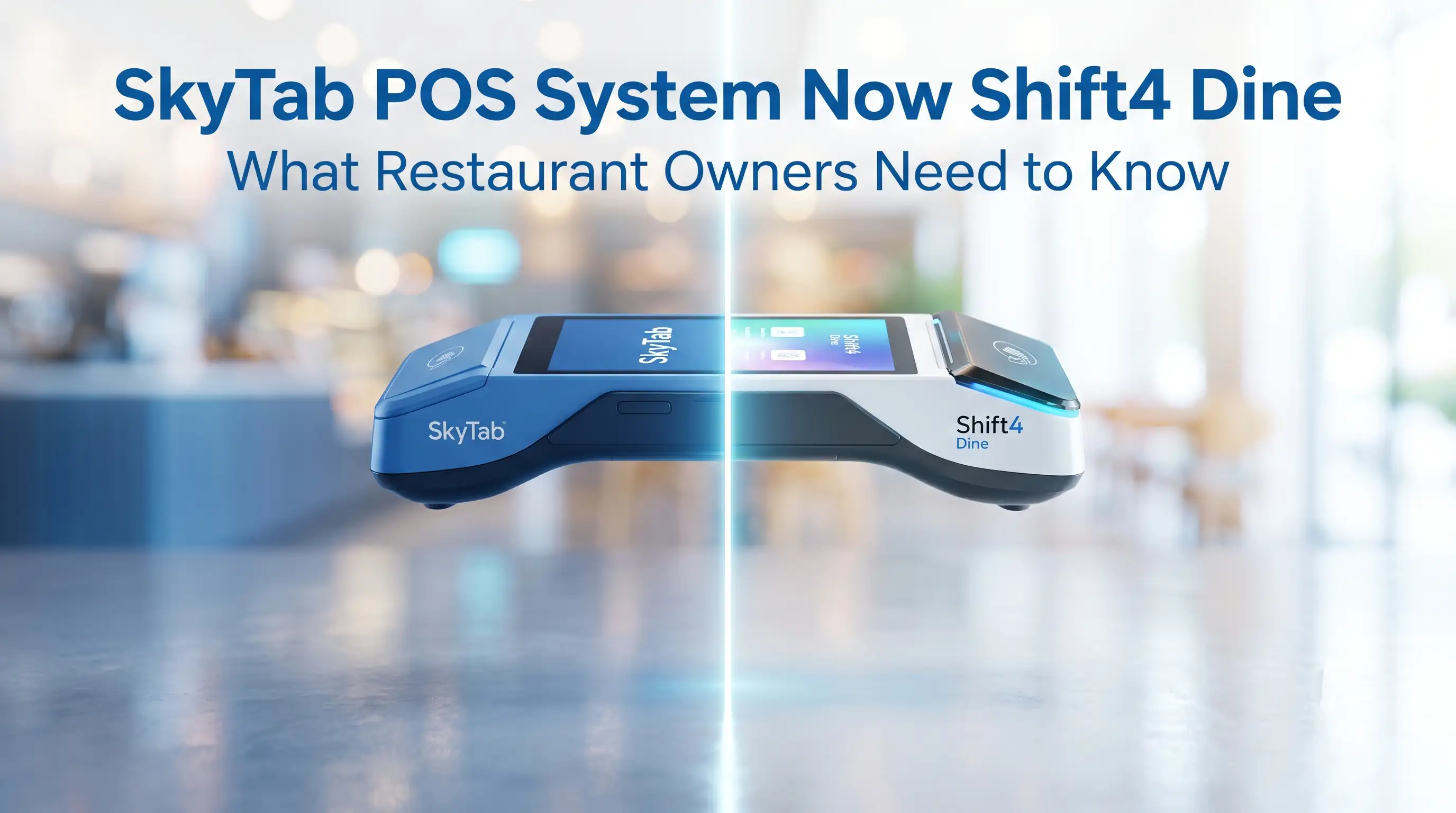
TL;DR: Shift4 Dine POS System (formerly SkyTab POS) is now officially presented as Shift4 Dine — same platform, same hardware, same 24/7 US-based support,





|
Other | Other | Other | |
|---|---|---|---|---|
| Upfront Hardware & Software | $0.00 | $5,750.00 | $3,358.00 | $3,798.00 |
| Installation + Menu Entry | $0.00 | $999.00 | Not offered | Not offered |
| Monthly Support* | $79.98 | $240.00 | $200.00 | $249.00 |
| Total 1st Year Cost | $959.76 | $9,629.00 | $5,758.00 | $6,786.00 |
| Total 3rd Year Cost | $2,879.28 | $15,386.00 | $10,558.00 | $12,762.00 |